
Admin Console Chatbot
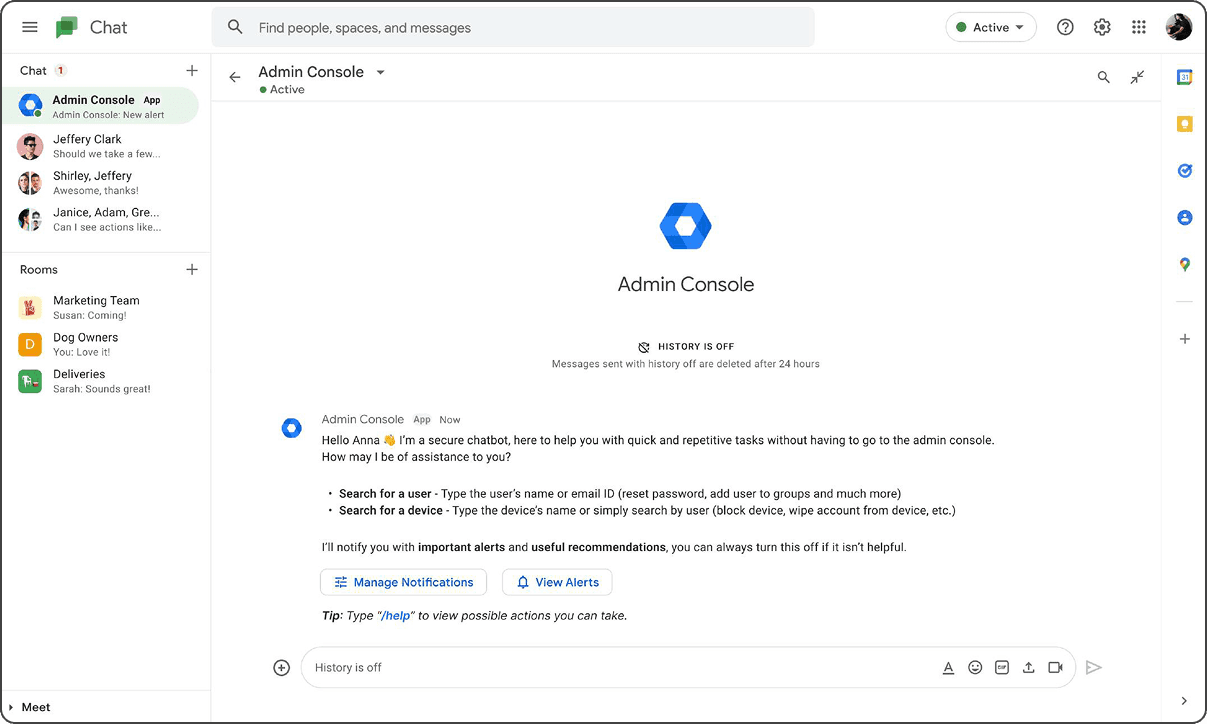
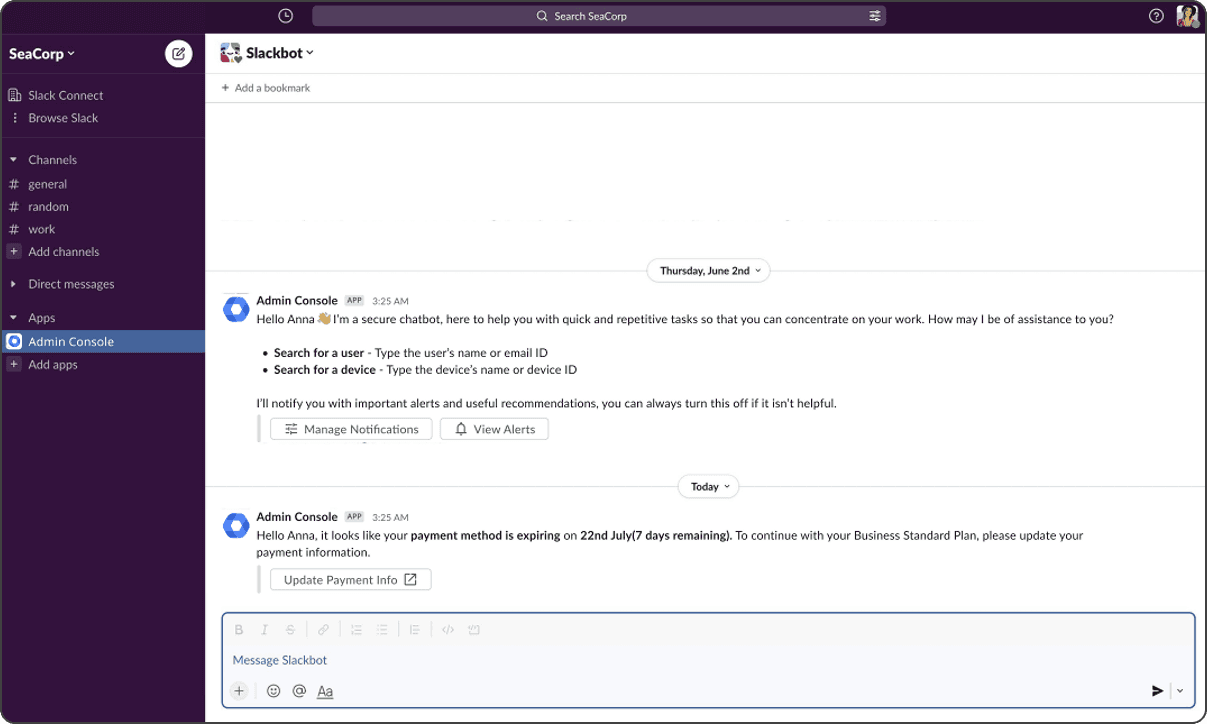
For my 10-week internship with Google, I was tasked with creating a Proof of Concept for an enterprise chatbot catering to the predominant administrative needs of admins within Google Workspace by meeting them in their current environment and allowing them to perform quick, repetitive and/or time sensitive actions on-the-go.
Type
Interaction Design
Timeline
May - July 2022
Role
Interaction Design Intern
This project was executed independently, under the guidance of Kaveri Sharma and Eugene Jude.
Introduction
Background context
What is the Admin Console?
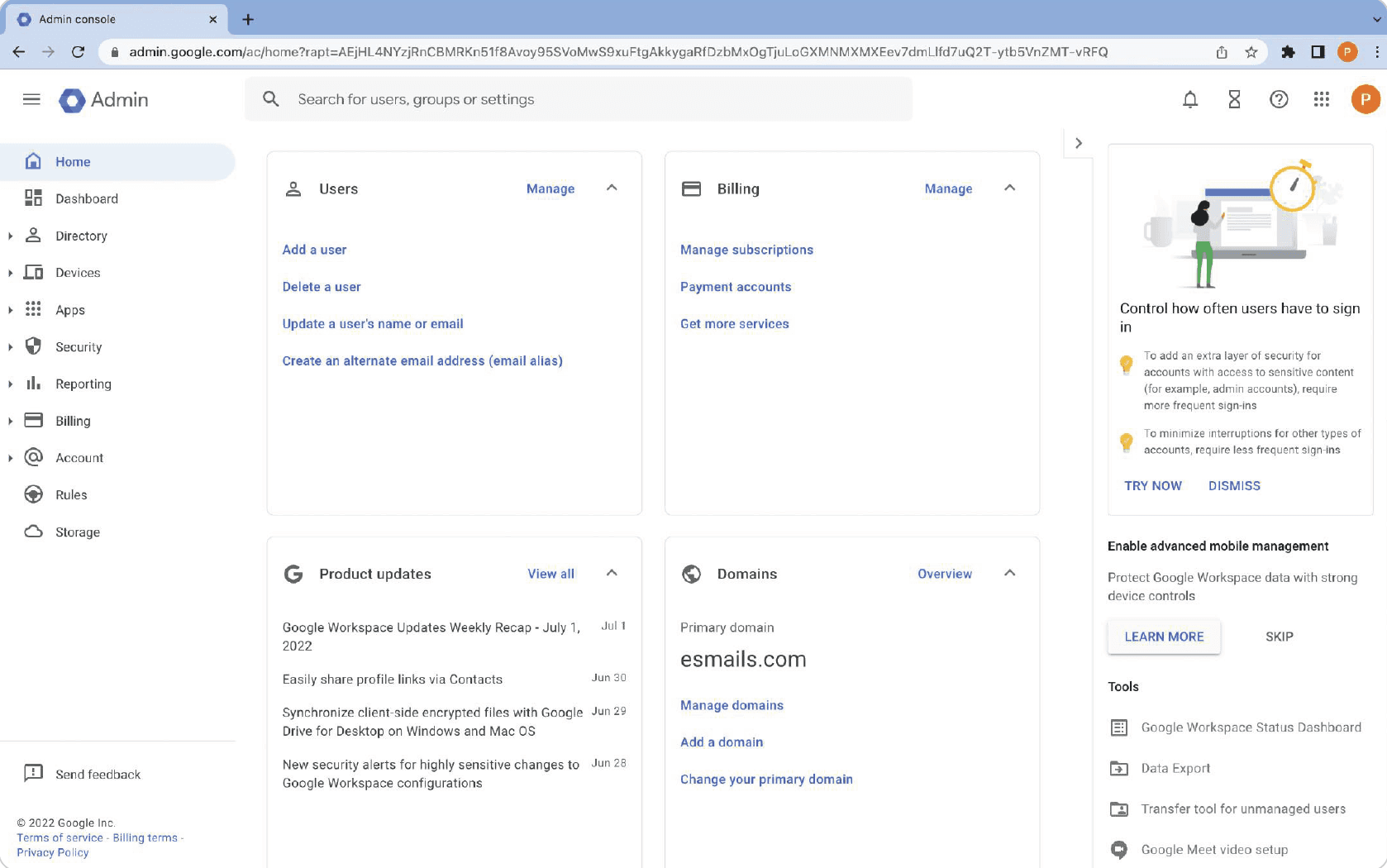
Google Admin Console allows admins to manage company resources and Google services for their organisation. Admins can easily manage users, manage devices, and configure security and settings so that their data stays safe.
Admin Segments
Owing to the large variety of organisation and administrative methods, the admins can be broadly categorised into the following:
Admins of Very Small Businesses - VSB
<20 employees
Admins of Small to Medium Sized Businesses - SMB
20 - 999 employees
Admins of Large Enterprises - LCS
1000+ employees
On the basis of admin privileged, these admins can be divided into:
Super admins - complete unrestricted access
Delegated admins - partial access based on org. role
"Often you’re trying to do something inside of Drive or Calendar, and you can’t do it, but it’s not really discoverable why you can’t do it. It’s not like you can go from the app into documentation and into admin console."
"Many of them would probably be useful for us, but there isn’t a cheat sheet or a checklist saying hey why don’t you enable these things...go ahead and try and see if this is useful for you."
The Starting Point
Project Goals
Making it easier for admins to manage Google Workspace by meeting admins where they are.
Enabling admins to stay aware and take light-weight/ time sensitive actions without taking them out of their current environment.
Identifying the optimal use-cases (what information and actions should be surfaced on communication platform).
Product Platform
Where does the product exist?
The Research Process
Stakeholder interviews - to understand who is invested, what they expect and how they can help
Content Analysis of important sections of Admin Console - for self learning and identifying use cases
Chatbot study - to understand chatbot behaviour in an enterprise context
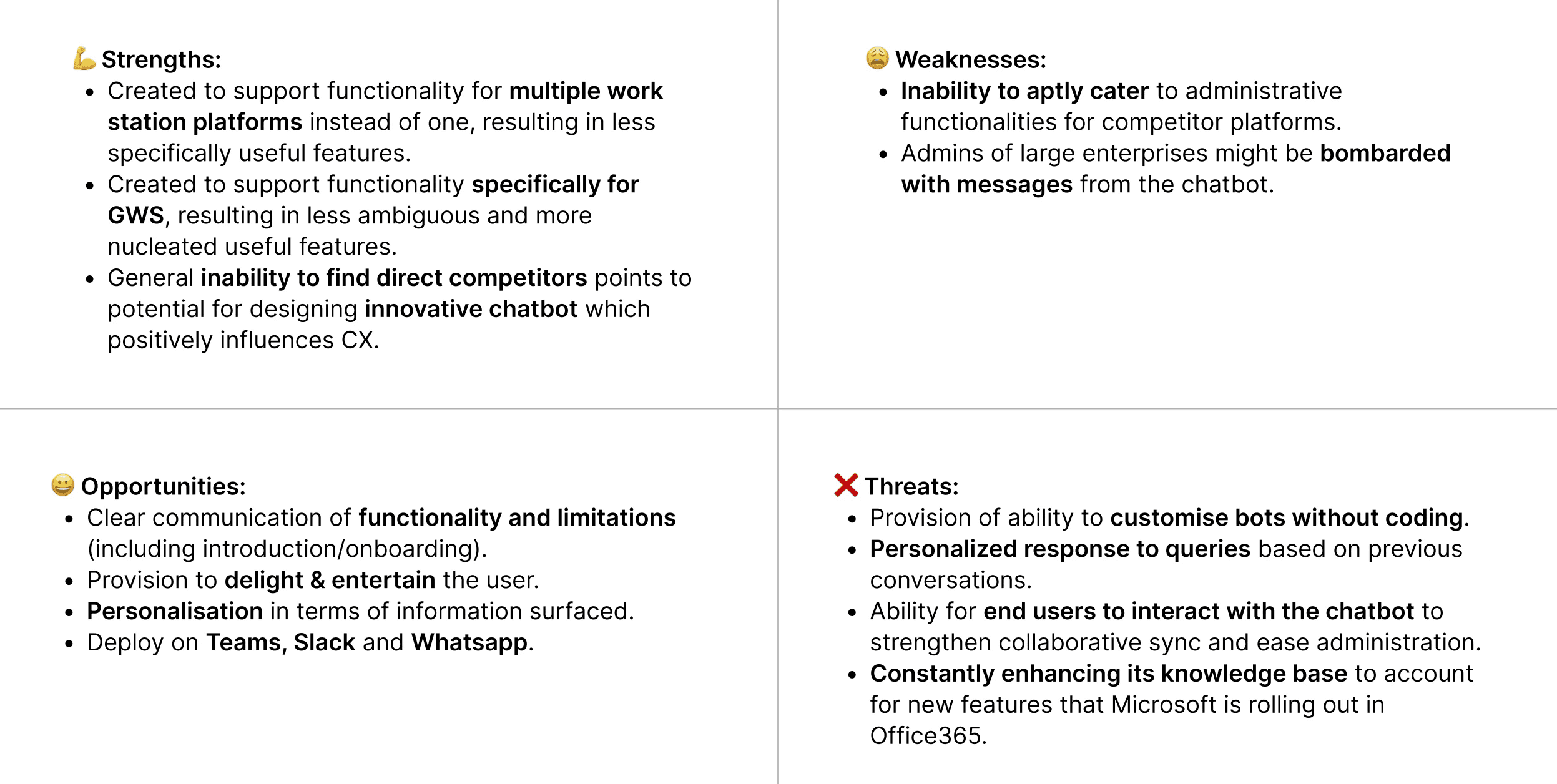
Competitive analysis - to understand our strengths, weaknesses, opportunities and threats
Research Synthesis - to understand existing research and draw insights
Material Looked into:
Reputable article
Literature reviews
Research paper
Chatbot Study
Why is chatbot critical to the GWS admin experience?
Why is chatbot not critical to the GWS admin experience?
How do these bots cut costs?
What are people's attitude's towards these bots?
How do consumer and enterprise chatbots differ?
What are the pain points while using chatbots?
What are best practices(gain points) to follow while designing chatbots? What are the factors that impact customer experience?
What are important parameters to be considered during competitive analysis?
How might we go about gaining user trust?
Why is chatbot critical to the GWS admin experience?
Reducing (cognitive & work) Load: The use of chatbots within an enterprise may help to reduce work-load e.g. by taking over repetitive tasks, simplifying processes as well as cognitive load of performing tasks, this may help to foster satisfaction of employees, aspects that are crucial for organisational transformation.
Reducing costs: Chatbot can take over some of the human load in chat interactions between a business and its customers resulting in cut costs, elminate user waiting time and allow employees to concentrate on other tasks. Making use of existing APIs cut engineering costs.
User engagement & satisfaction: Surfacing recommendations based on user signals can increase engagement (and in turn, user satisfaction) and drive new revenue through increased online conversion, it improves discoverability and findability.
Business productivity & security: Increasing business productivity, efficiency and security resulting in increased customer trust and perceived usefulness. New generations are demanding higher productivity and the gaps between private and enterprise environments seem to decrease.
Why is chatbot not critical to the GWS admin experience?
Admins of large enterprises spend considerable time on the admin console, they understand how to navigate the platform, some might have even created their own chatbots and might not see the virtue of the admin console chatbot
If the bot is too rudimentary, people lose trust in the company and will feel ignored and unappreciated.
"Overall, they[chatbots] suck. Only because a lot of them are not set up enough where you can actually get a real answer."
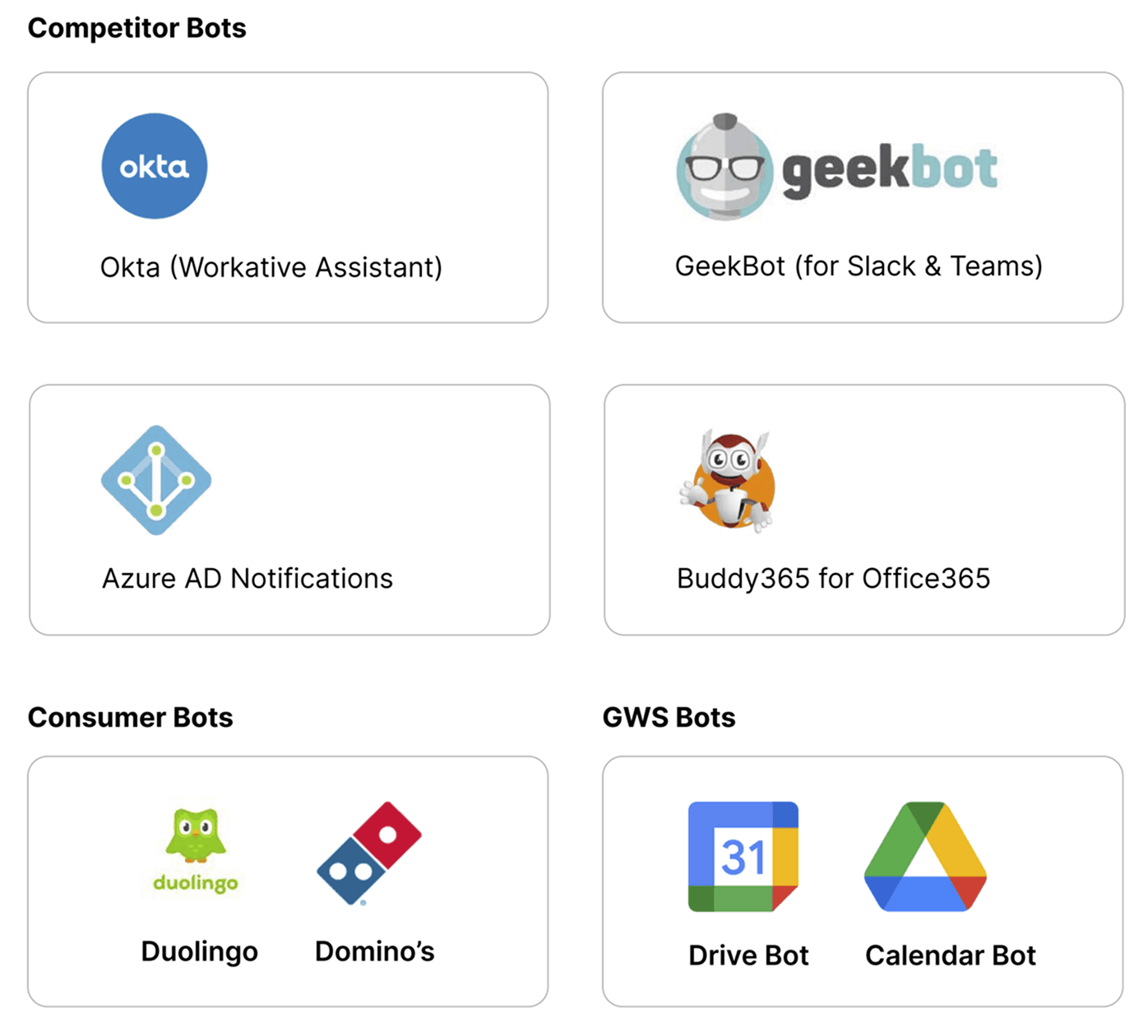
Landscape Study + SWOT Analysis
Competitive Analysis
Parameters studied:
USP
Value propositions provided
Primary use cases
User message understanding
Appropriateness of answers provided
User reviews
User satisfaction
UX Pain points
UX Gain points
Extra notes
SWOT Analysis
Research Synthesis
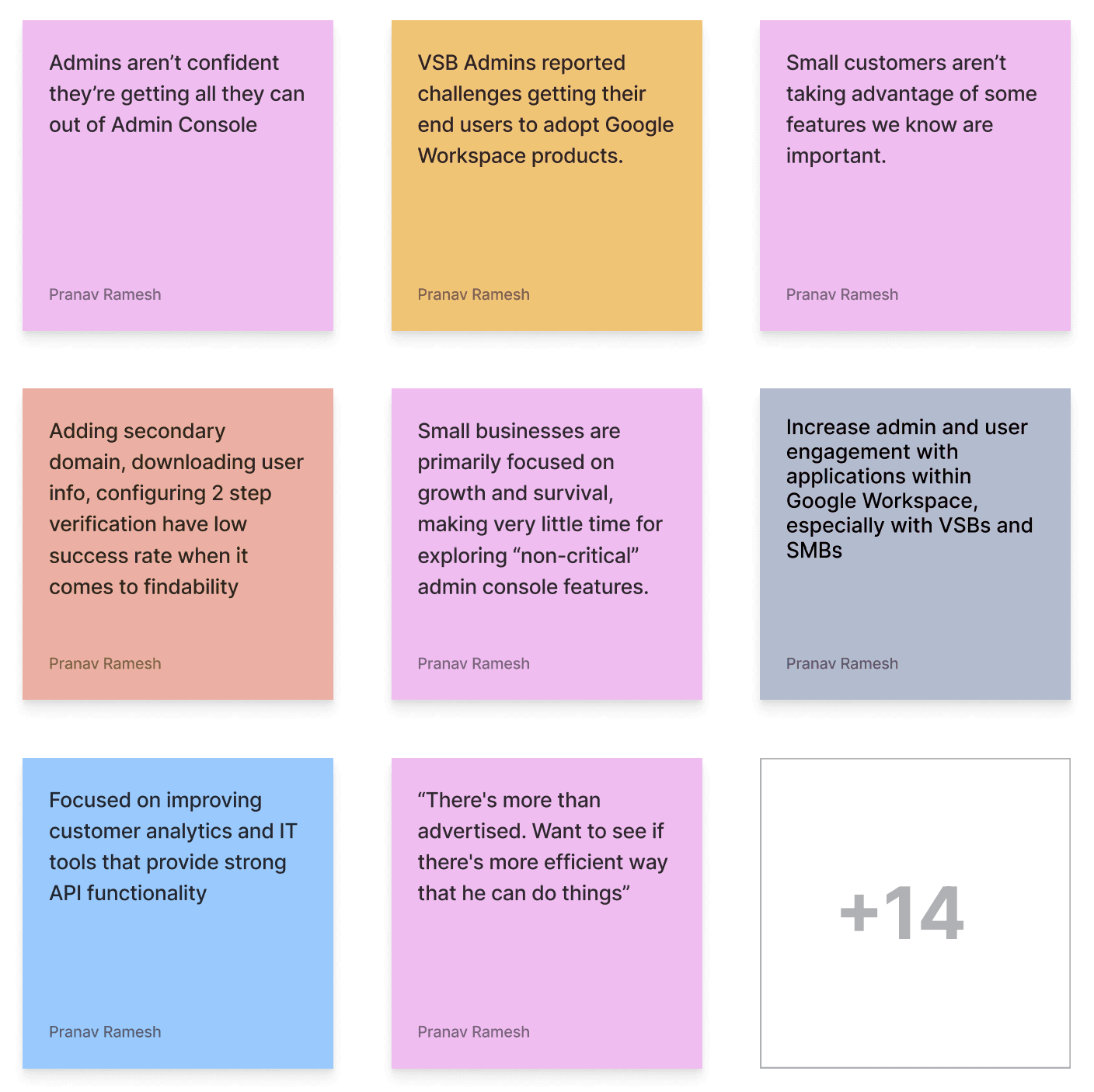
Content audit + Research Decks + Stakeholder Requirements affinitised to yield meaningful insights.
#1
Admins of VSBs and SMBs don’t find it useful to explore and discover features within the admin console, due to other priorities and focuses, although they would pose useful for their business, increasing engagement would positively influence satisfaction with GWS.
#2
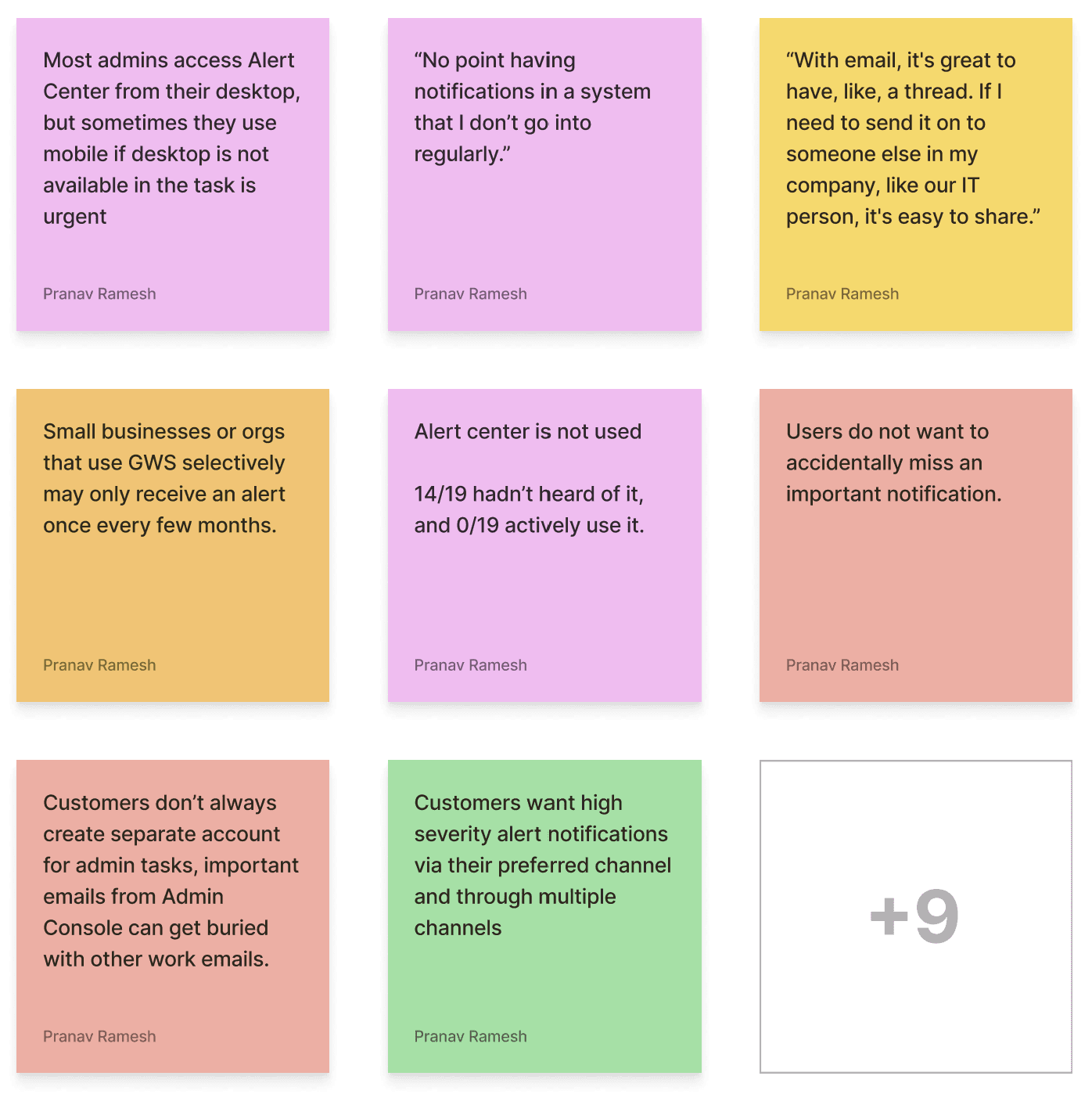
Current notification framework including alert center and emails do not have adequate open rate, increasing this rate should be of primary concern.
#3
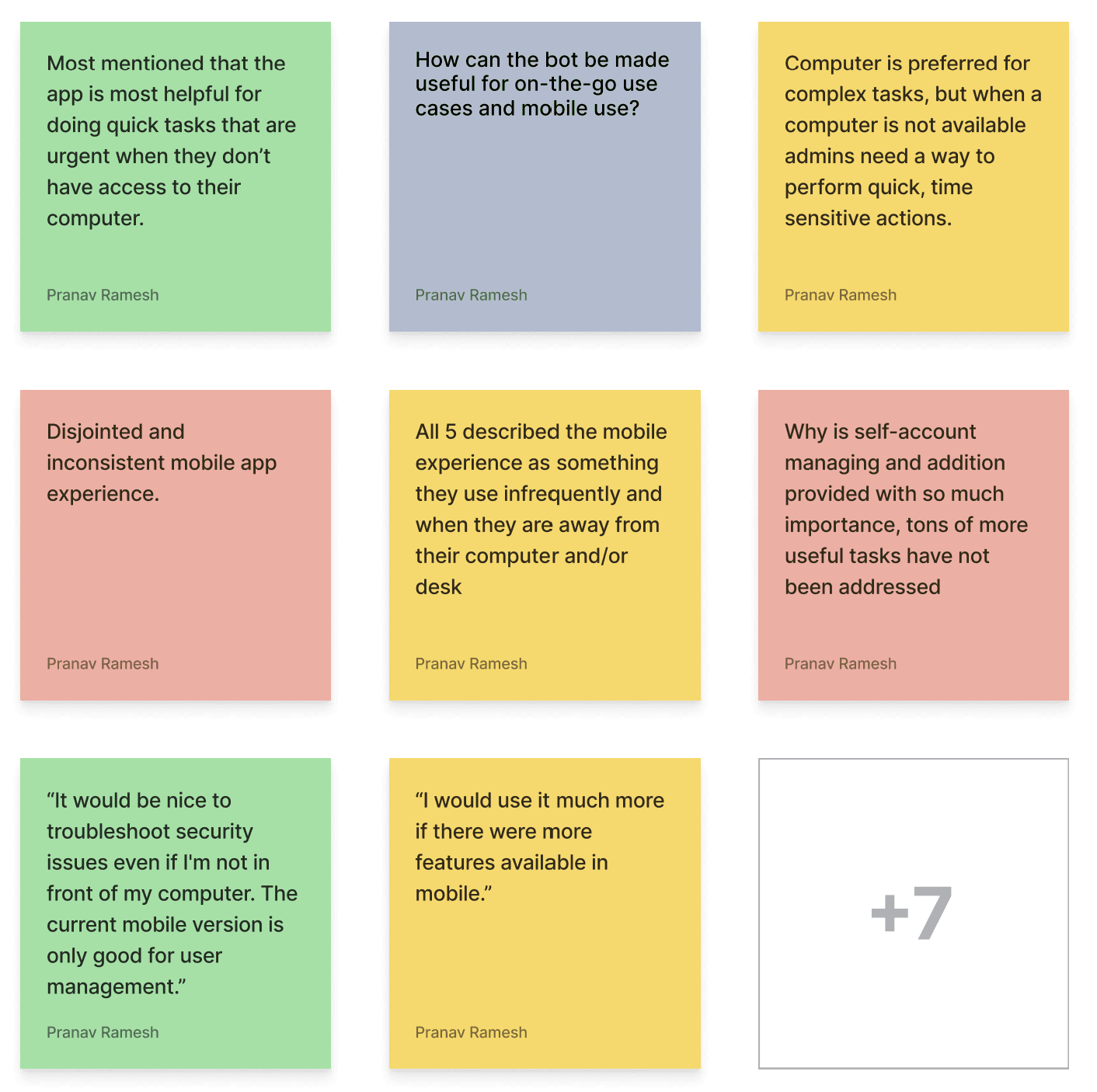
Admins feel that the mobile app is limited and does not provide the ability to perform desired on-the-go tasks, catering to their mobile needs would prove to be very impactful.
#4
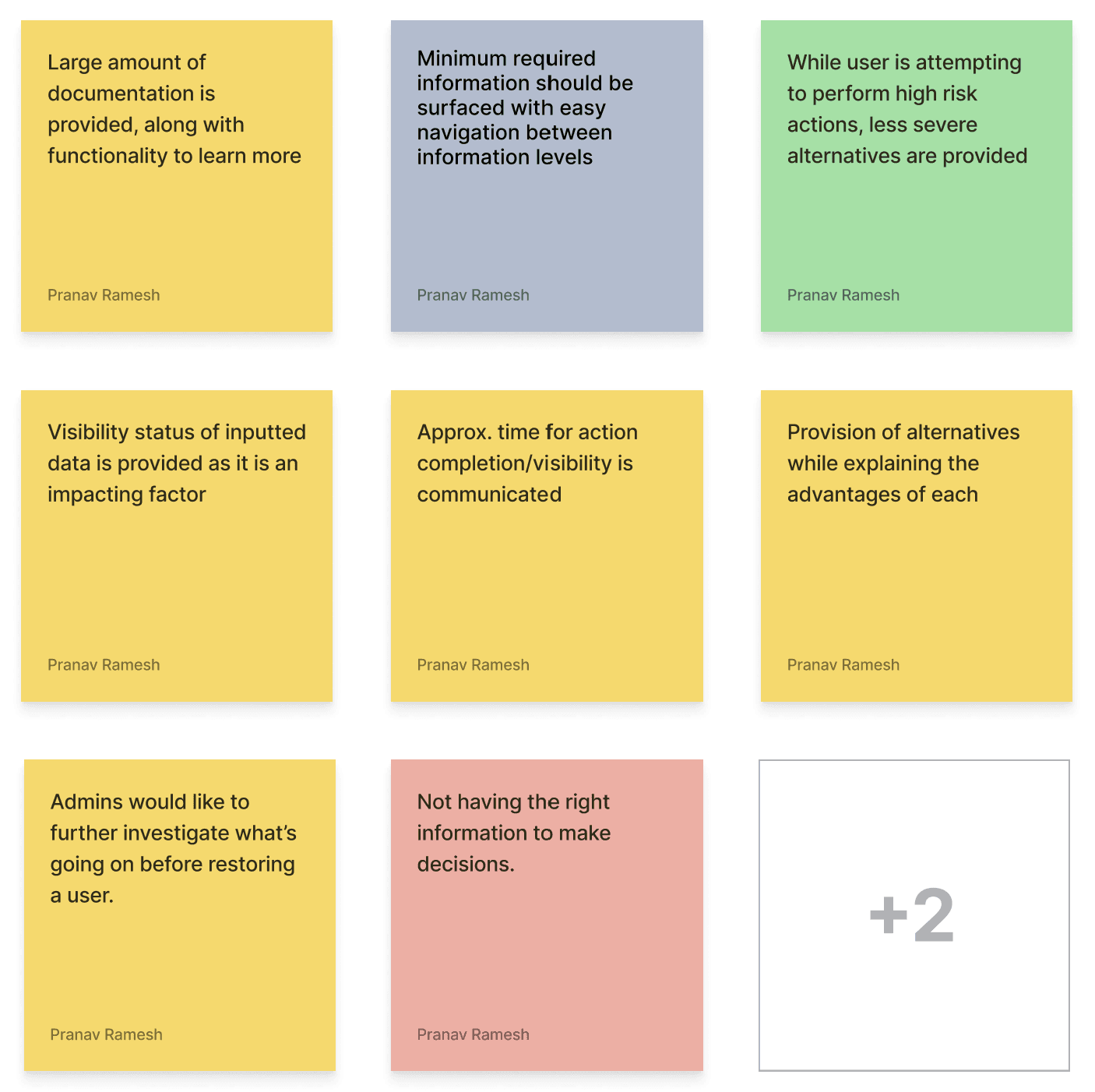
Important (decision-making) information and possible actions should be communicated without overwhelming the user.
#5
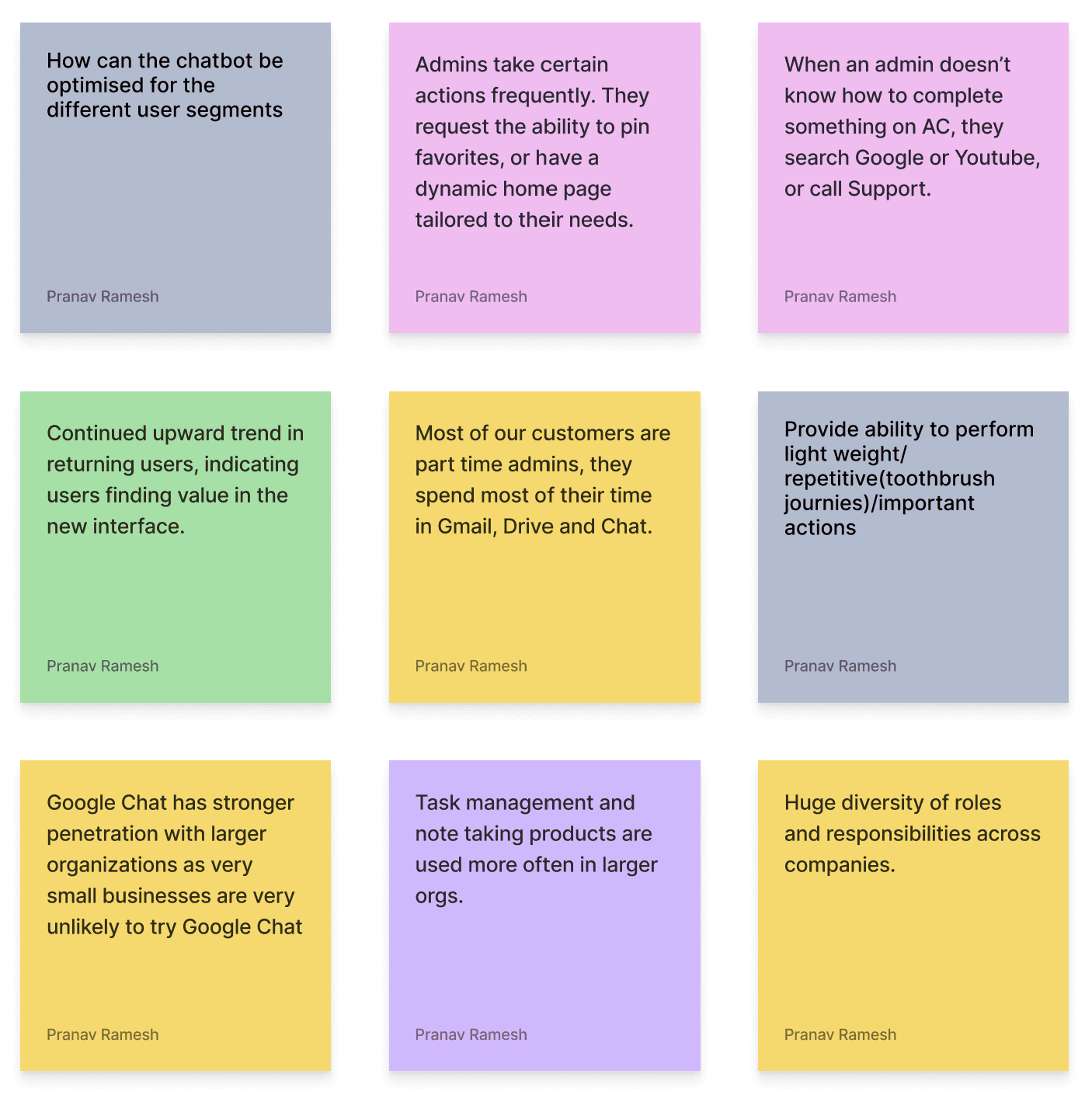
Different admin segments have different priorities and behavioural patterns, it is important to cater to their individual needs.
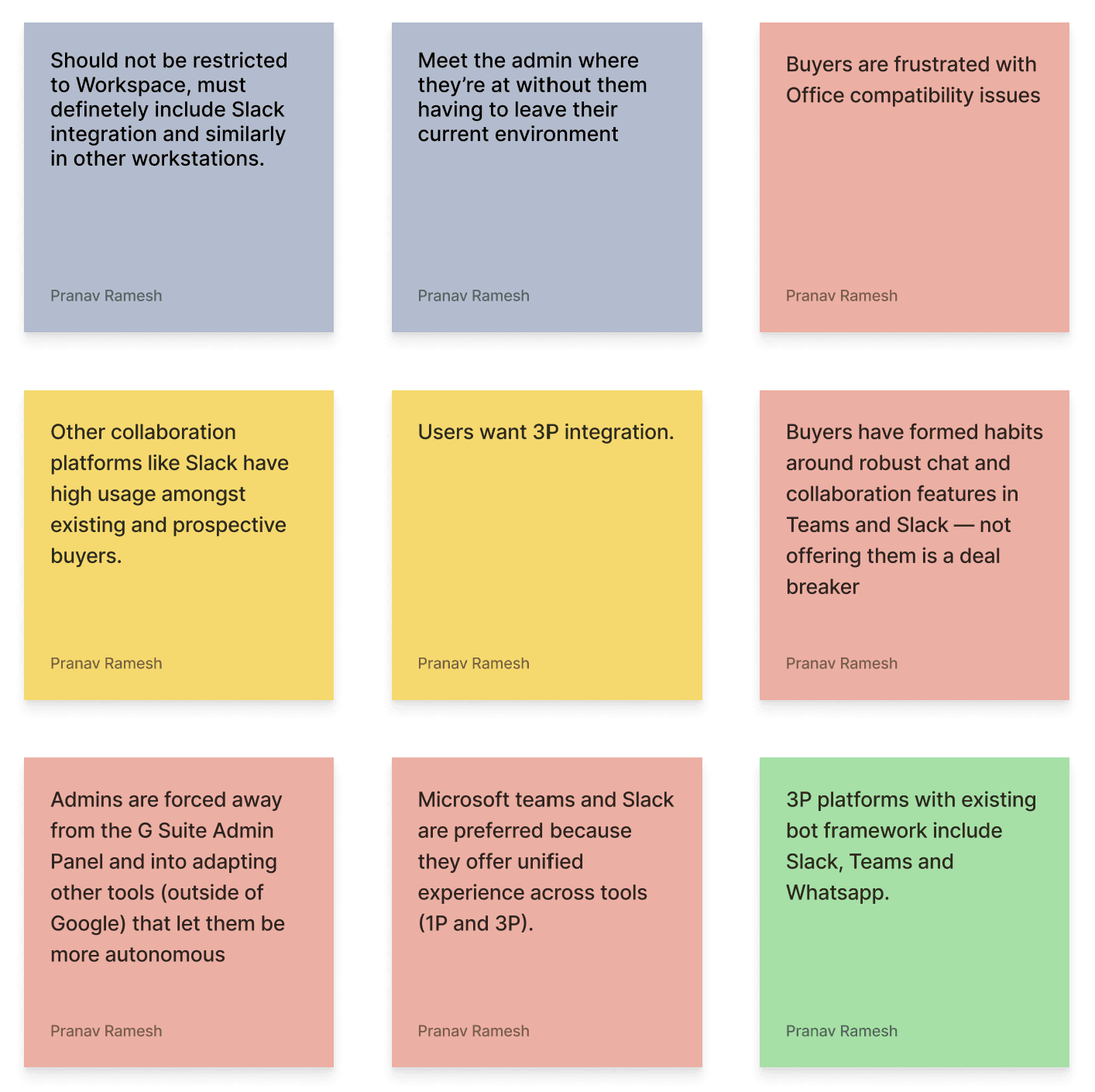
#6
Meeting the user in their current environment is necessary to motivate usage, especially for admins using 3rd party softwares.
#7
User trust must be gained and maintained through clear personal benefits and honest communication.
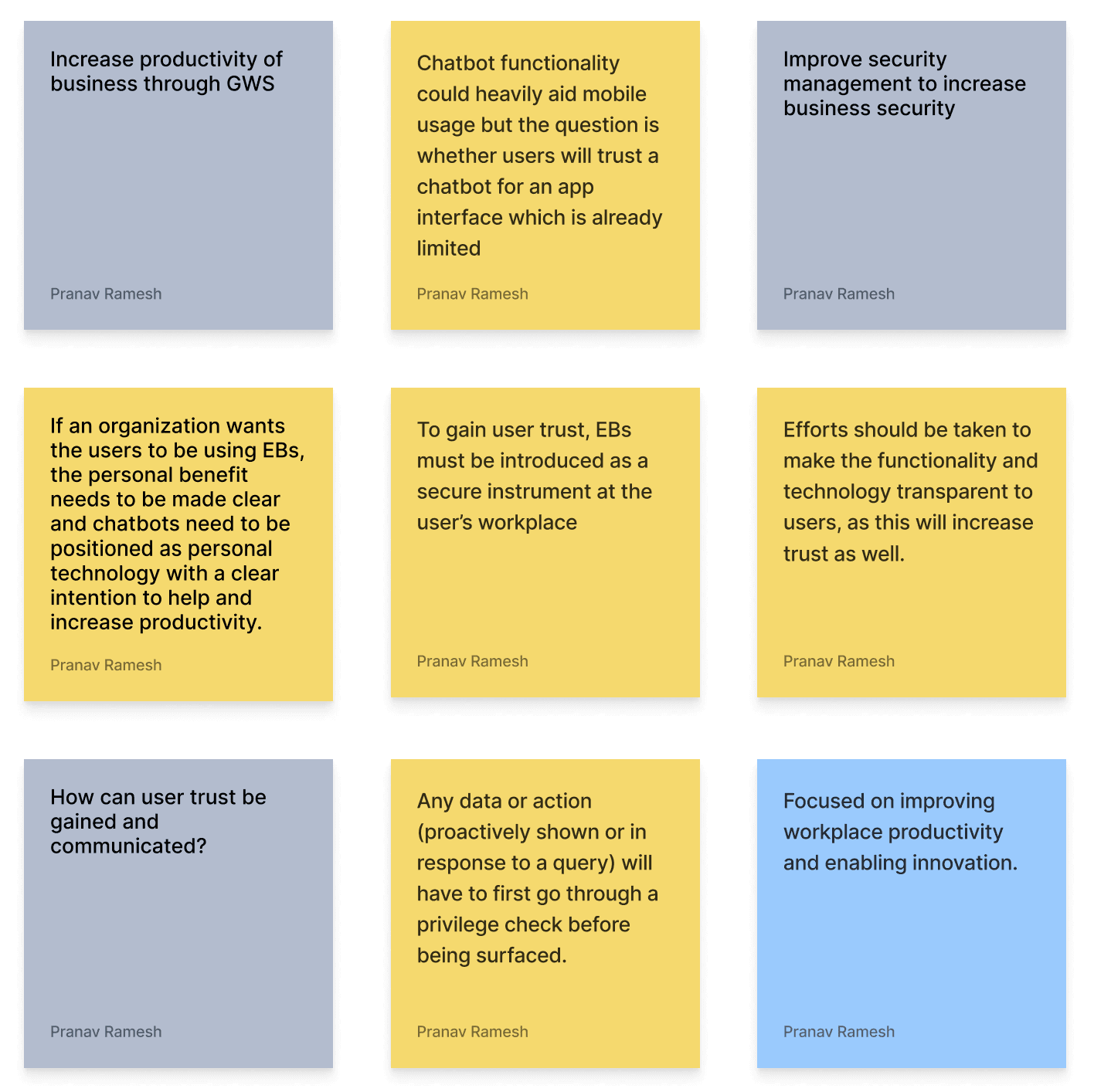
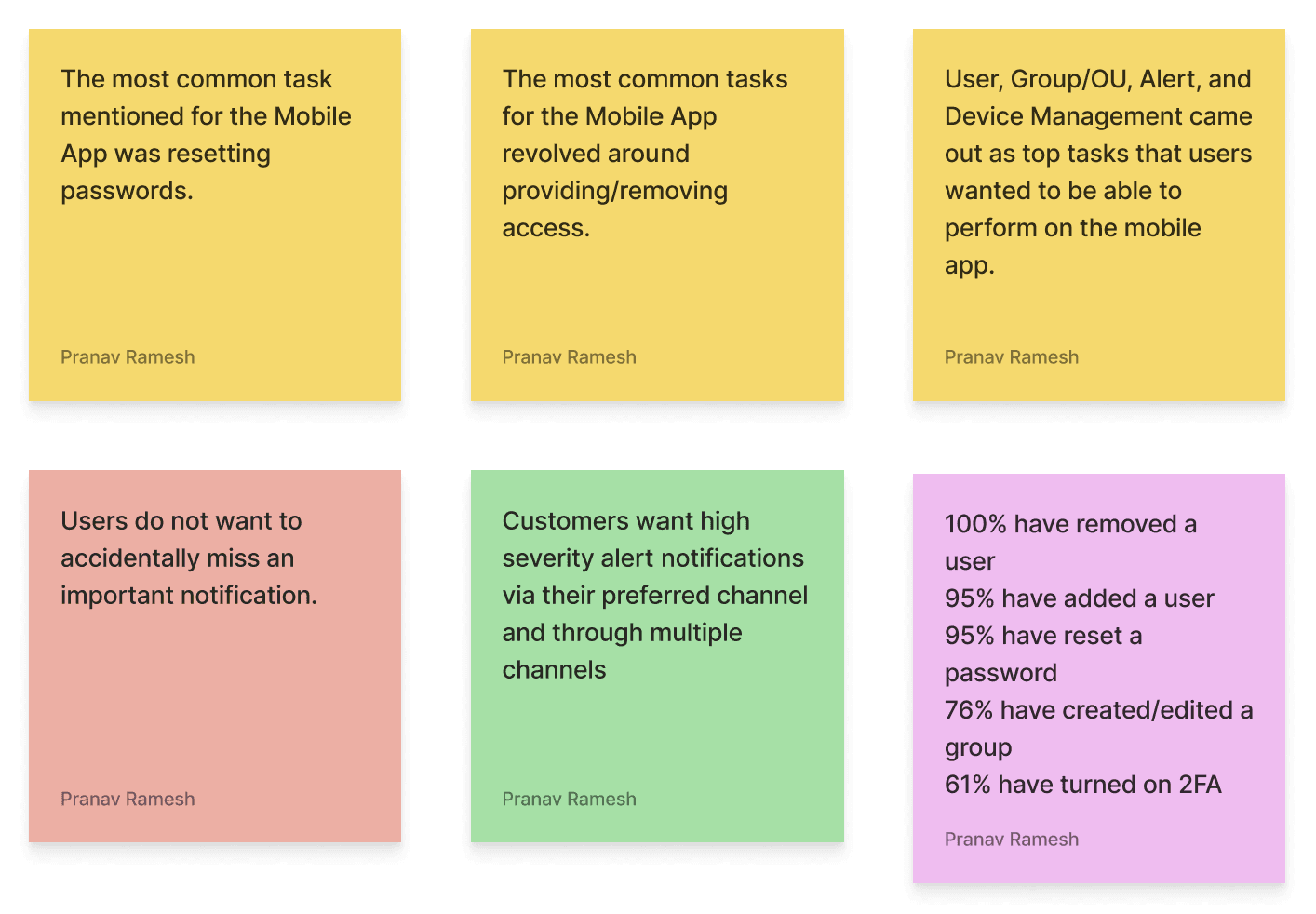
#8
User, group/OU, alert, device and security management include the most commonly performed tasks.
Actionable Insights
Admins of VSBs and SMBs don’t find it useful to explore and discover features within the admin console, due to other priorities and focuses, although they would pose useful for their business, increasing engagement would positively influence satisfaction with GWS.
Current notification framework including alert center and emails do not have adequate open rate, increasing this rate should be of primary concern.
Admins feel that the mobile app is limited and does not provide the ability to perform desired on-the-go tasks, catering to their mobile needs would prove to be very impactful.
Important (decision-making) information and possible actions should be communicated without overwhelming the user.
Different admin segments have different priorities and behavioural patterns, it is important to cater to their individual needs.
Meeting the user in their current environment is necessary to motivate usage, especially for admins using 3rd party softwares.
User trust must be gained and maintained through clear personal benefits and honest communication.
User, group/OU, alert, device and security management include the most commonly performed tasks.
Ideation Brief
To design a trustworthy enterprise interaction chatbot catering to the predominant administrative needs of the different admin segments within Google Workspace by meeting them in their current environment and allowing them to perform quick, repetitive and/or time sensitive actions on-the-go.
150+
→
88
→
28
Eliminating Use Cases
Matrix Method
Evaluating requirements by quantifying relative importance
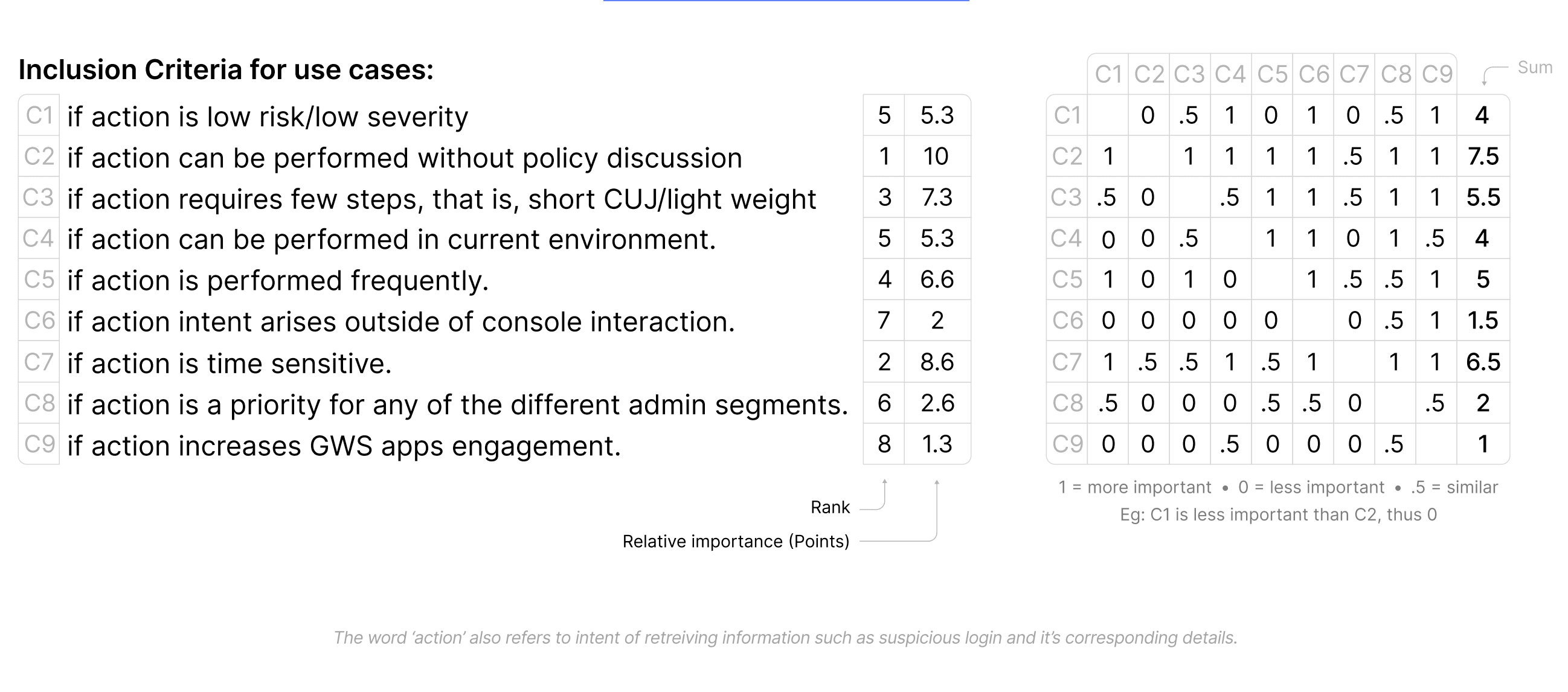
Matrix Evaluation
Following this, each of the 150+ use cases were weighed to see if they satisfy the inclusion criteria, this resulted in individual scores for every use case, allowing for systematic prioritisation and elimination.
Alert Center - Use Cases for Phase 1
Gmail:
(47.7) Malware message detected post-delivery
(47.7) Phishing message detected post-delivery
(45.7) Spike in user reported spam
(47.7) Suspicious message reported
(47.7) User reported phishing
(45.7) Phishing in inboxes due to bad whitelist
User Alerts:
(47.7) Leaked password
(42.4) Suspicious logins auto-blocked (3)
(41.7) User granted admin permissions
Device Alerts:
(47.7) Device compromised
(47.7) Suspicious device activity
Administrative Alerts:
(45.7) Domain data export initiated
(41.1) Drive/email/mobile settings changed(3)
General Alerts:
(47.7) Google Operations
(41.1) Government-backed attacks
User & Device Management:
(47.7) Pull up user details
(41.1) Pull up details of device
General - Use Cases for Phase 1
Recommendations:
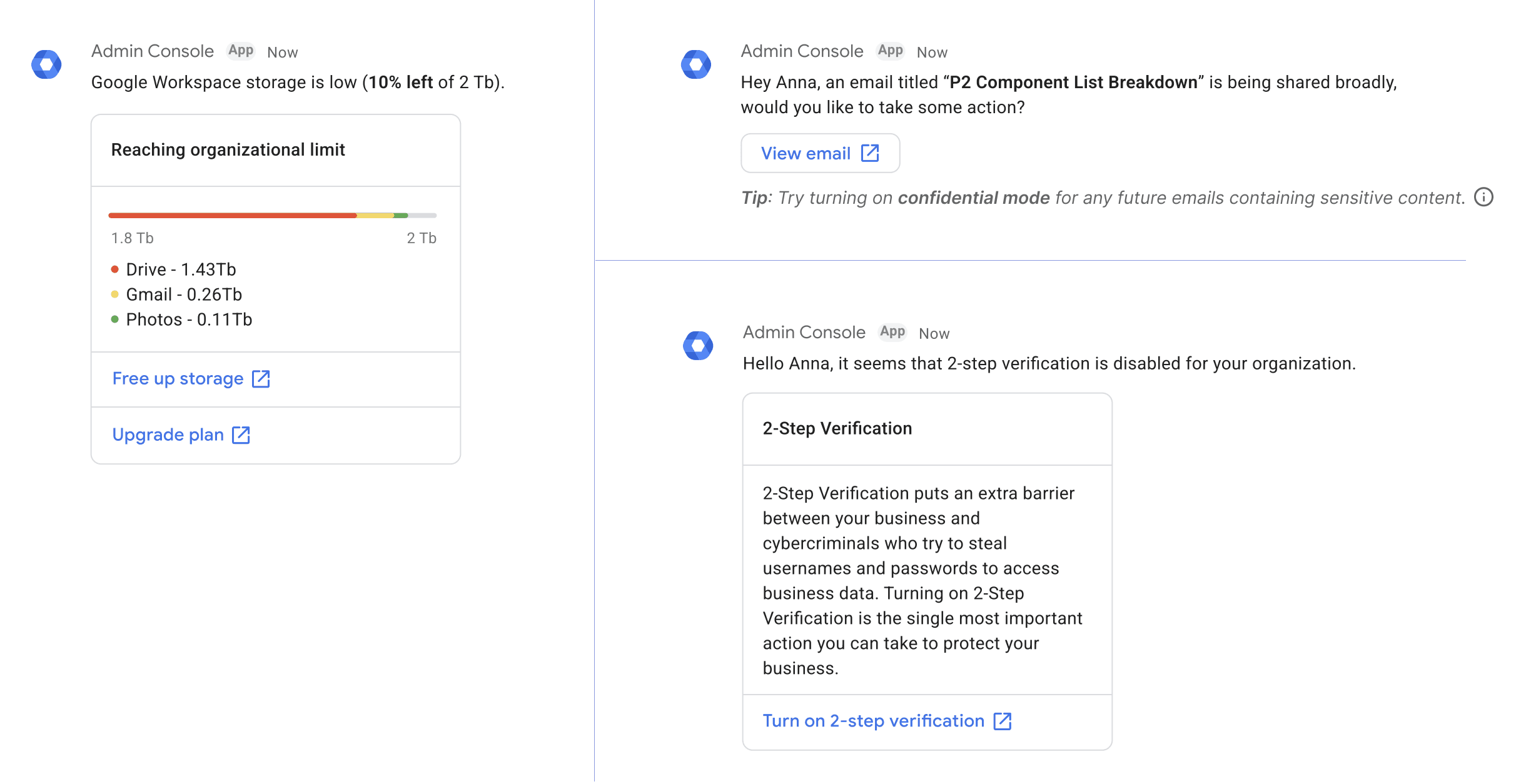
(45.7) Emails/files getting shared broadly
(42.4) Running out of storage
(40.4) Turn on 2 Step Verification
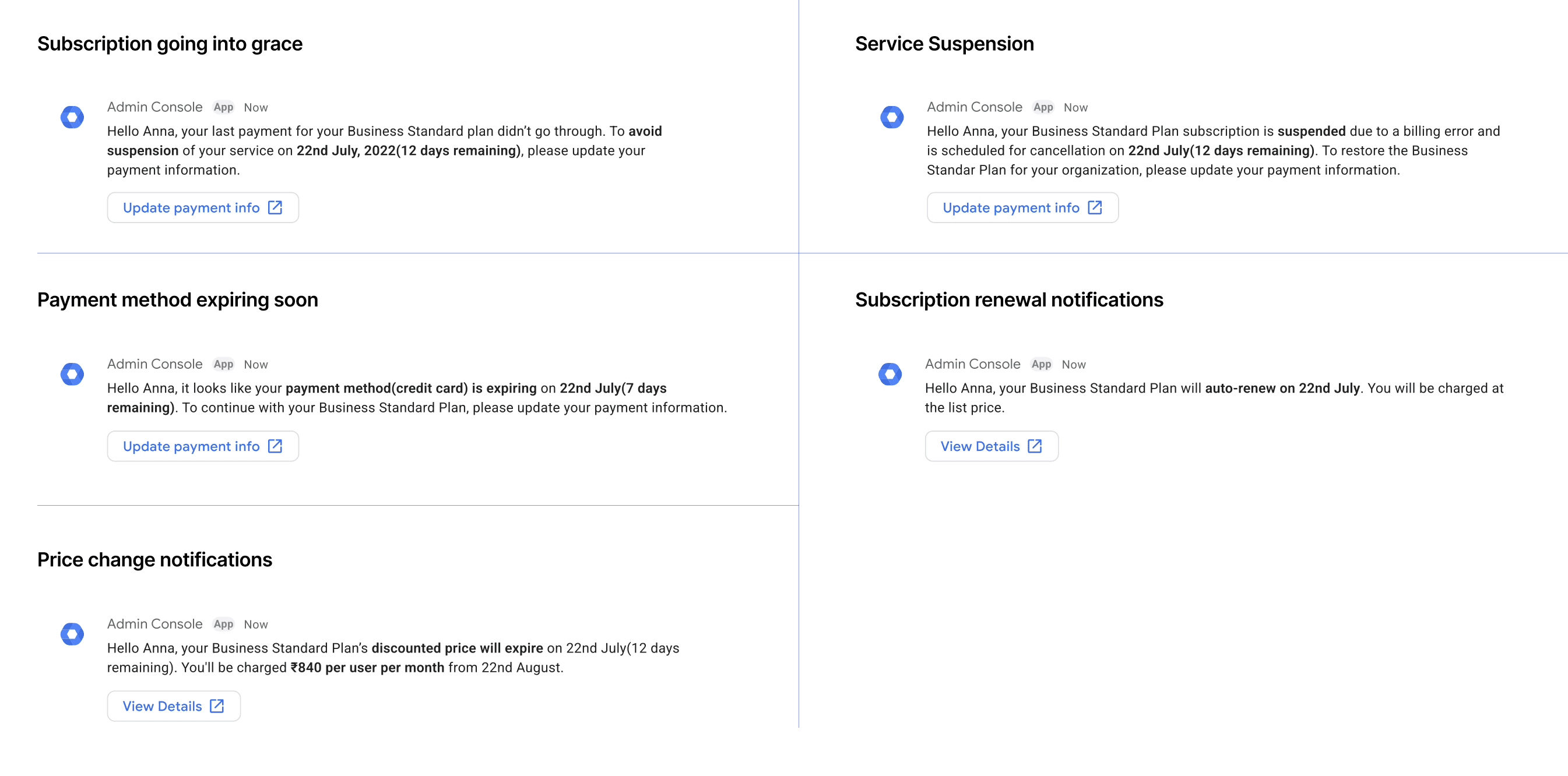
Billings:
(40.4) Subscription going into grace
(40.4) Suspension
(40.4) Payment failure
(40.4) Payment method expiring soon
(40.4) Price change notification
(40.4) Subscription renewal notifications
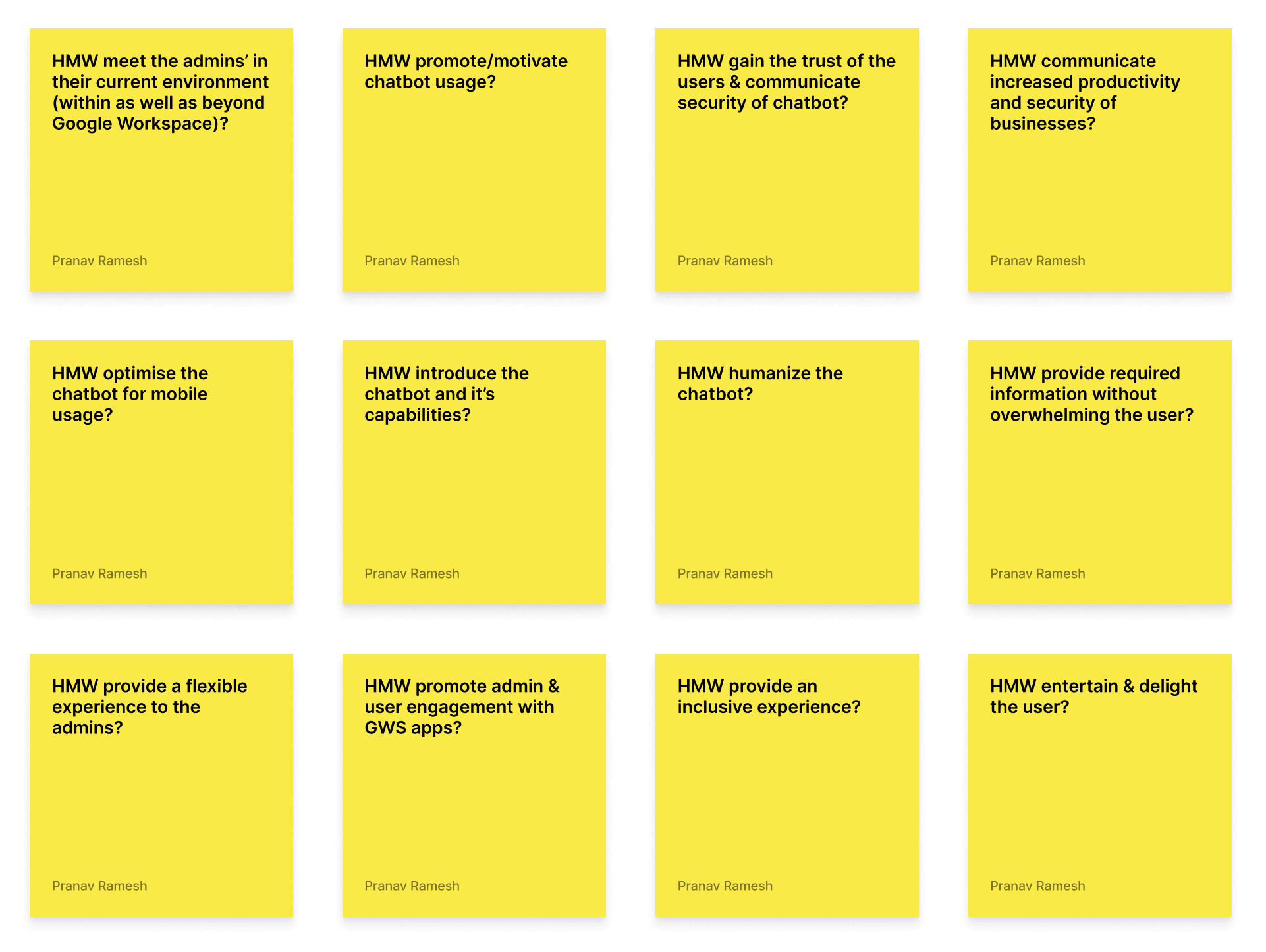
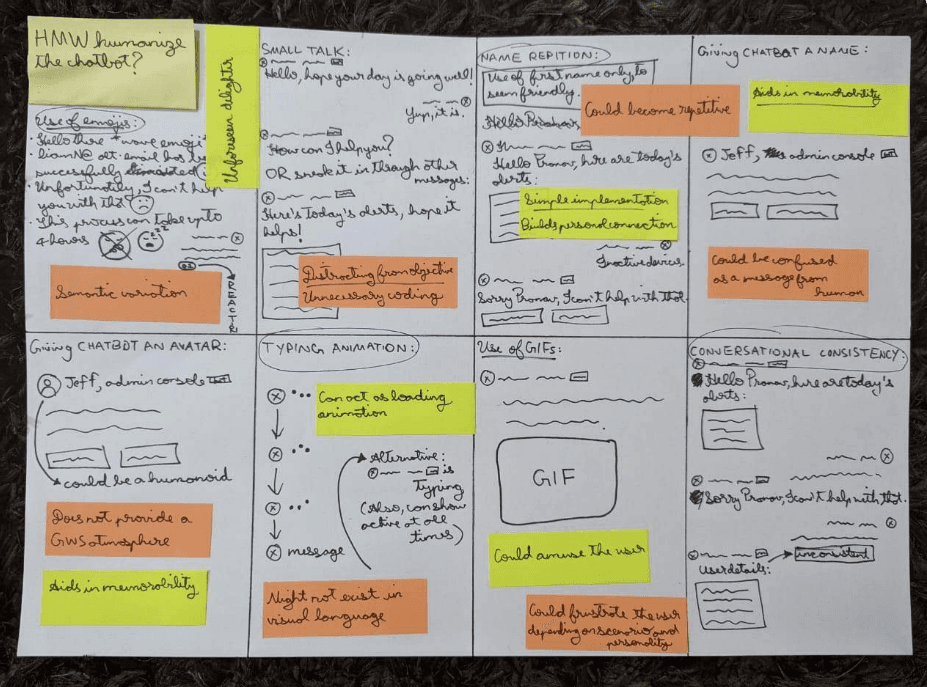
How Might We
Following are the tangents for Crazy 8 Ideations
Results:
Useful features
Behavioural patterns
Further use cases
Pointers for existing use cases
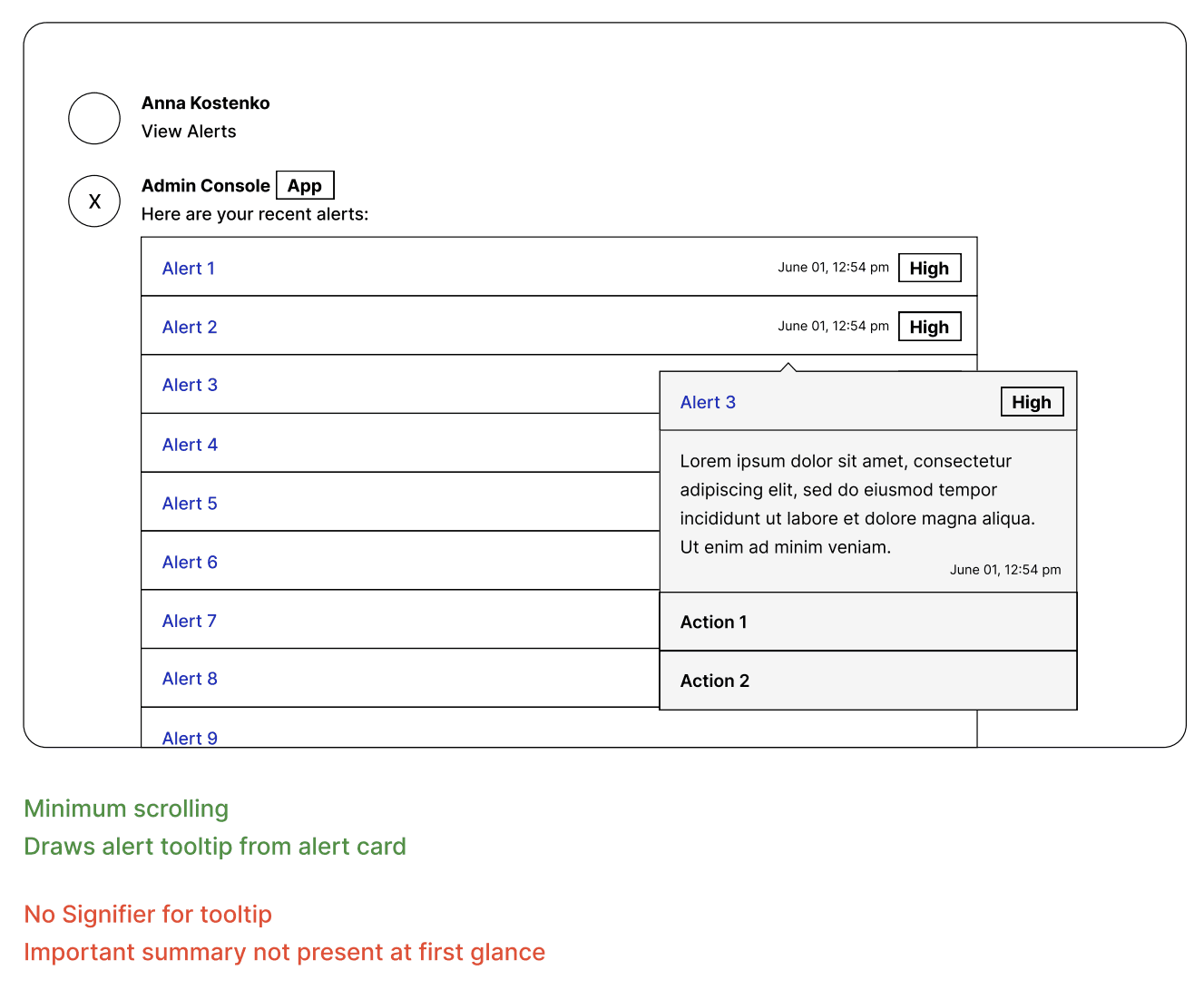
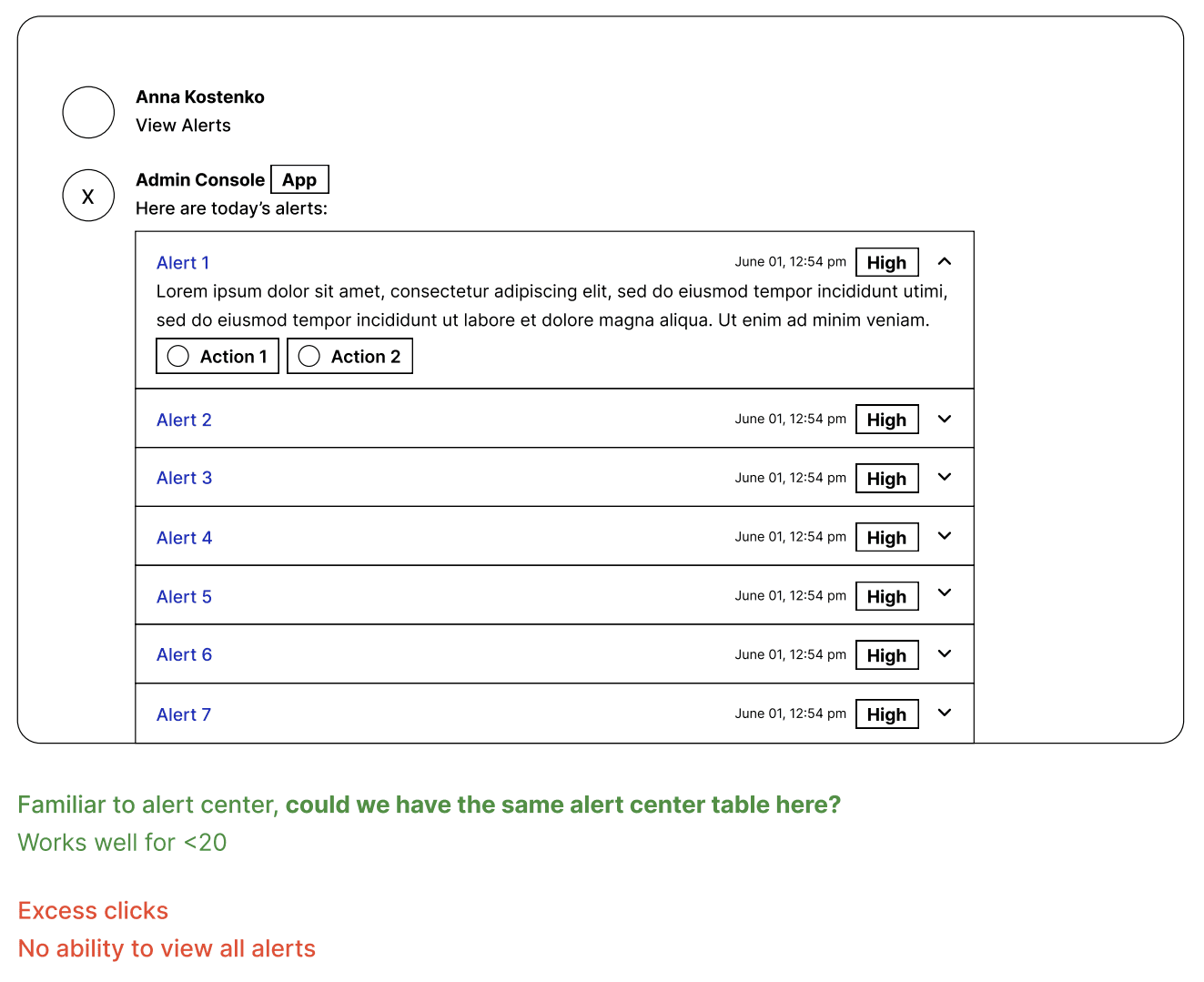
Low Fidelity → High Fidelity → Interactive Prototype
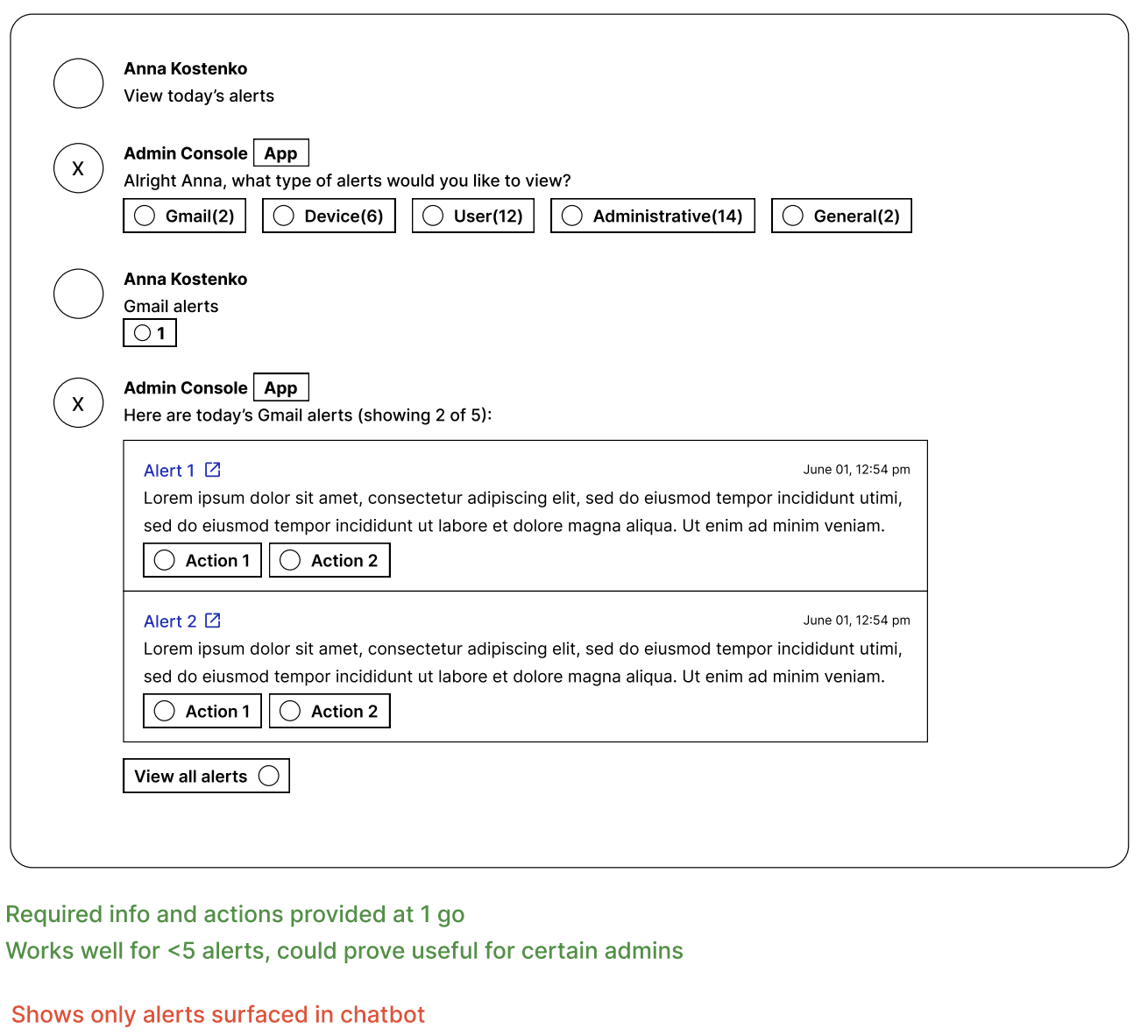
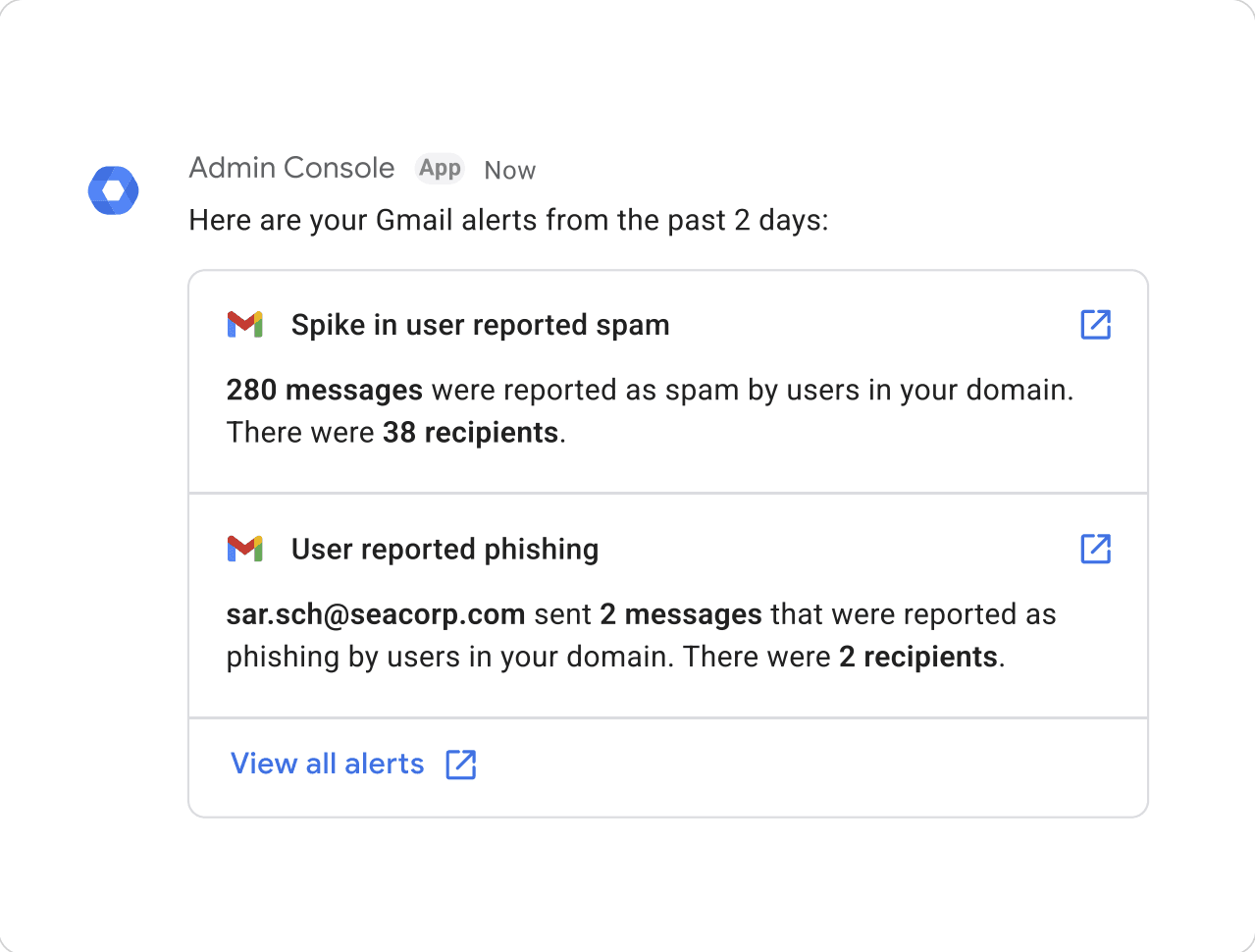
Have a look at my process taking concepts from low fidelity wireframes to high fidelity designs leveraged in the interactive prototype.
Usability Testing
Study Method
An interactive prototype was created and leverage for the following.
Background questions
Cognitive walkthrough
Primary goals
To understand the value of existing use cases.
To improve the functionality and usability of existing use cases.
To identify optimal flows and filtering practices for viewing alerts.
To understand if information provided is helpful.
To identify any critical missing information.
Secondary goals
To identify further use cases.
To see how users manage notifications as a guide for initial settings.
To find out the virtue of integrating the help assistant within the chatbot.
Key Takeaways
This chatbot greatly improves user engagement. Users, especially from VSBs, are delighted to discover new features and keen on checking them out within the console as well
Resetting passwords, adding users, adding users to groups and receiving alerts are the most useful provisions
Users expect the chatbot to provide support, but are overwhelmed by the existing help assistant chatbot
All users mentioned that they would use it, although only 5 mentioned it proactively without any questioning.
Apps with existing bot framework:
Slack - 3 users
Whatsapp - 2 users
Google Chat - 4 users
Teams/O365 - 0 users
Further use cases identified:
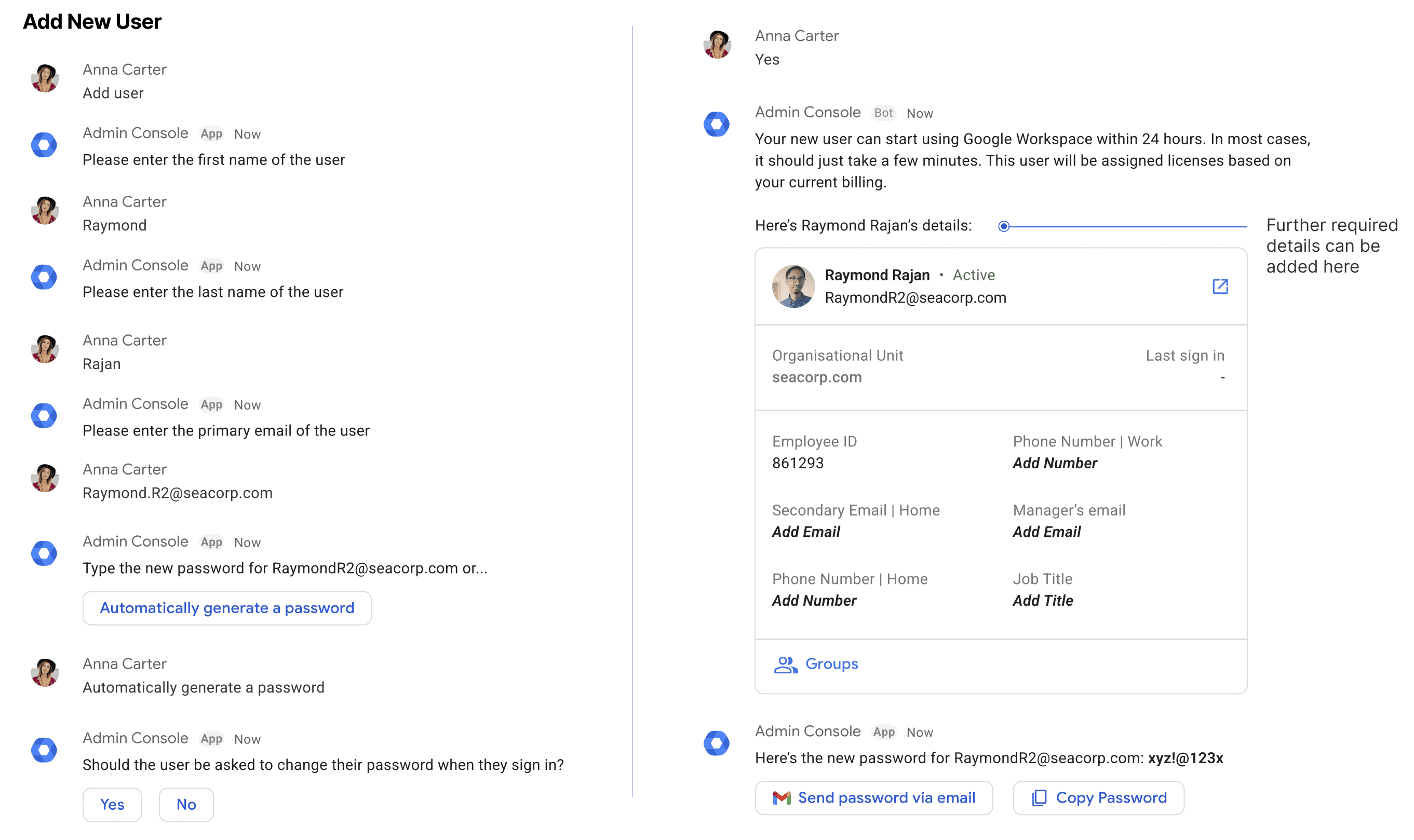
Adding new user to the organisation
Help section
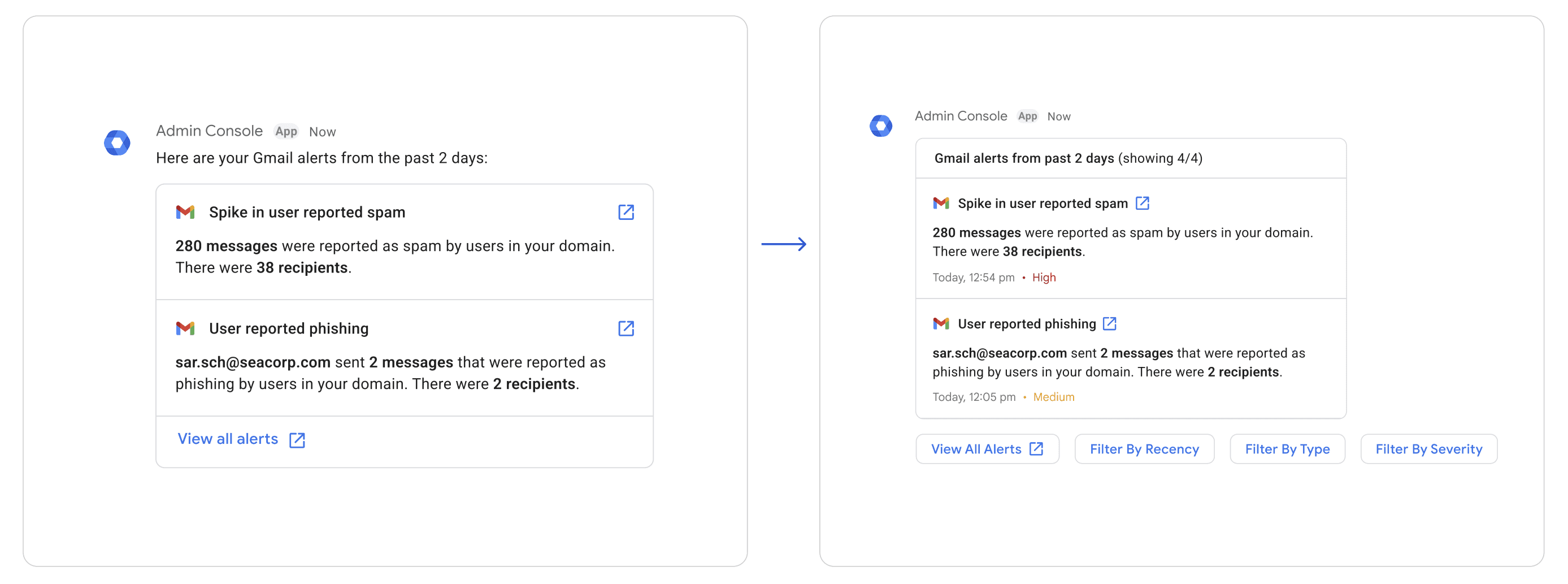
Iterated Designs
High fidelity designs were improved and refined based on findings from the usability study.
User Scenarios
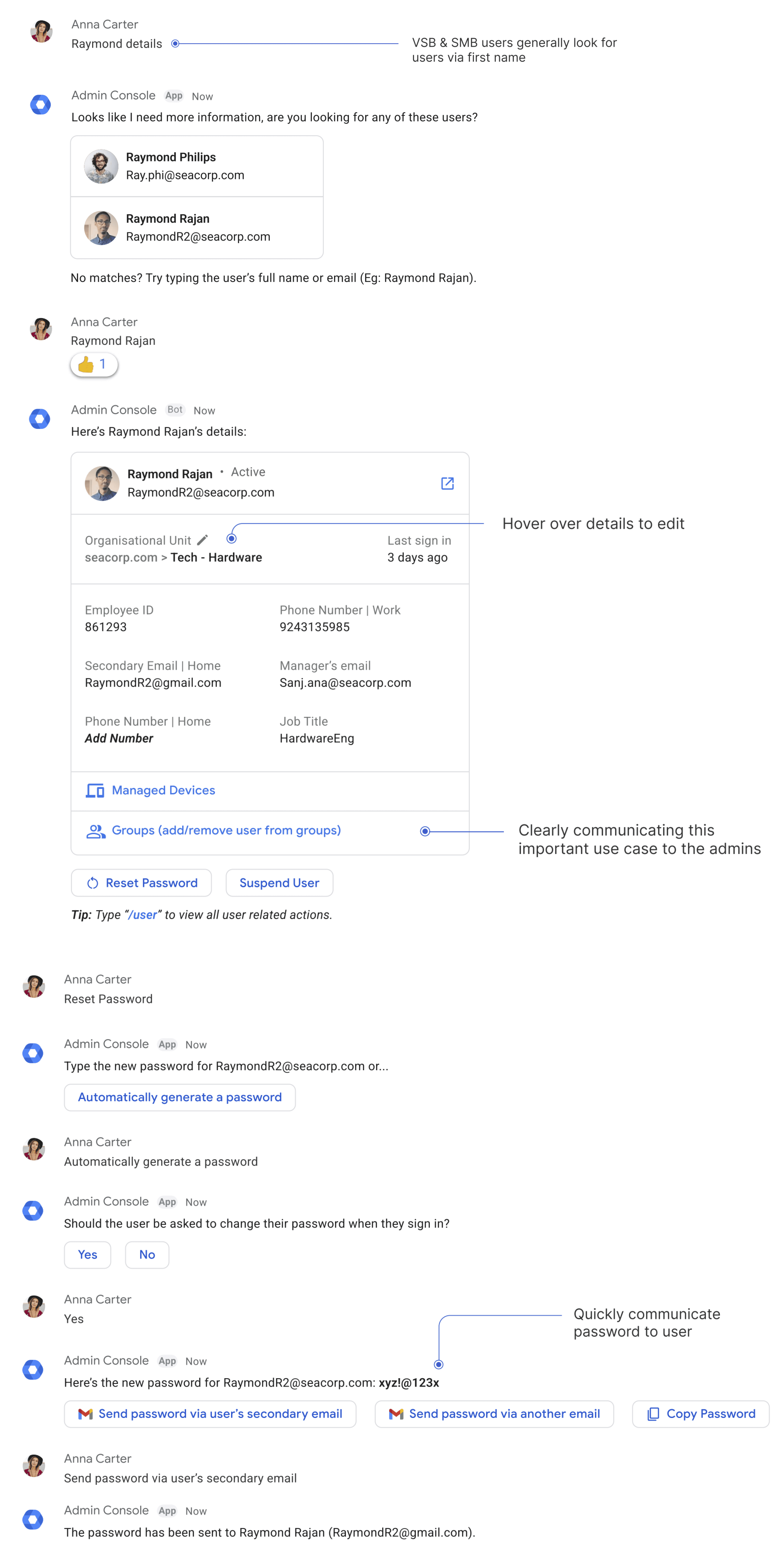
Scenario 1: Reset Password

Anna Carter
Super admin of Sea Corp.
Anna is beginning her work day by going through her mail, she finds that one of her employees, Raymond Rajan, has requested an urgent password reset. She decided to proceed with the task via the chatbot as it exists
in the same environment.
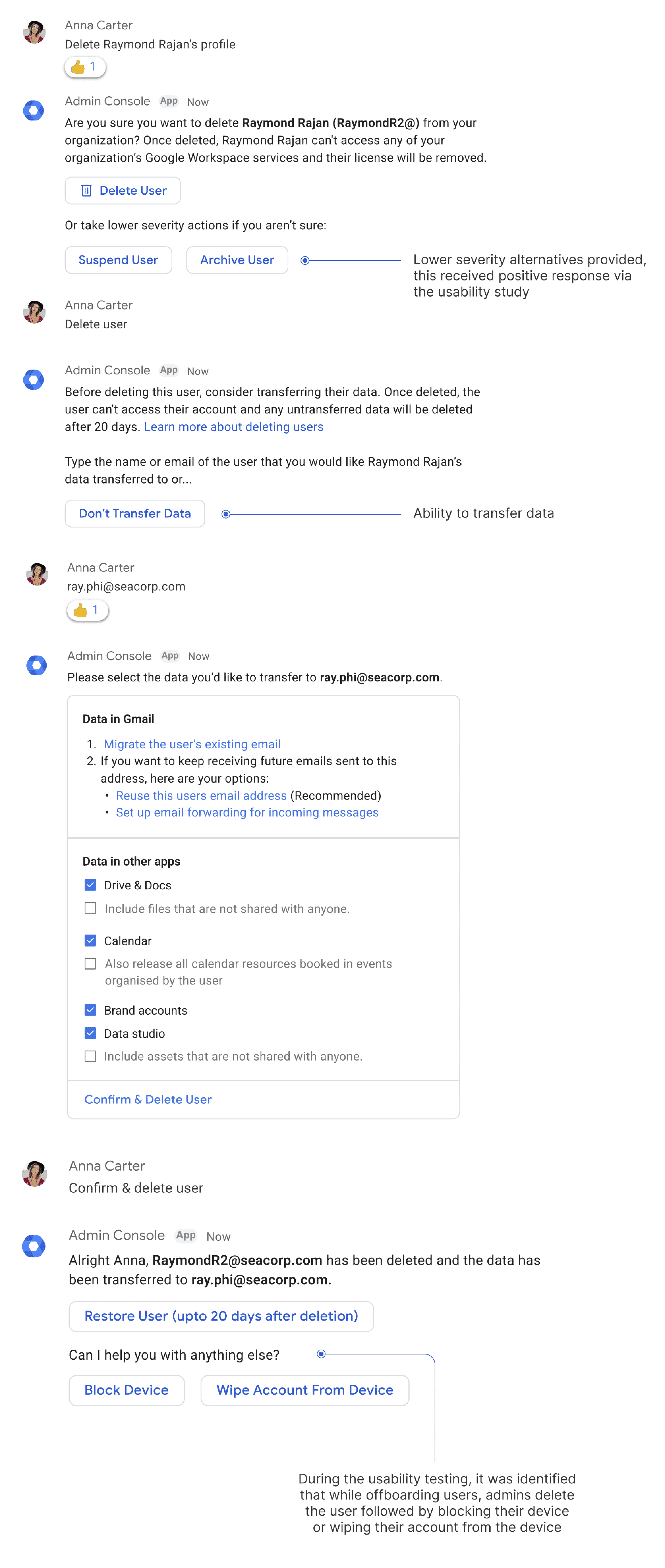
Scenario 2: Delete User
Anna Carter
Super admin of Sea Corp.
Anna received an email from a team lead mentioning that today was Raymond's last day with Sea Corp. She now has to offboard Raymond from the organisation. She decides to delete Raymond Rajan's profile.
Use Cases
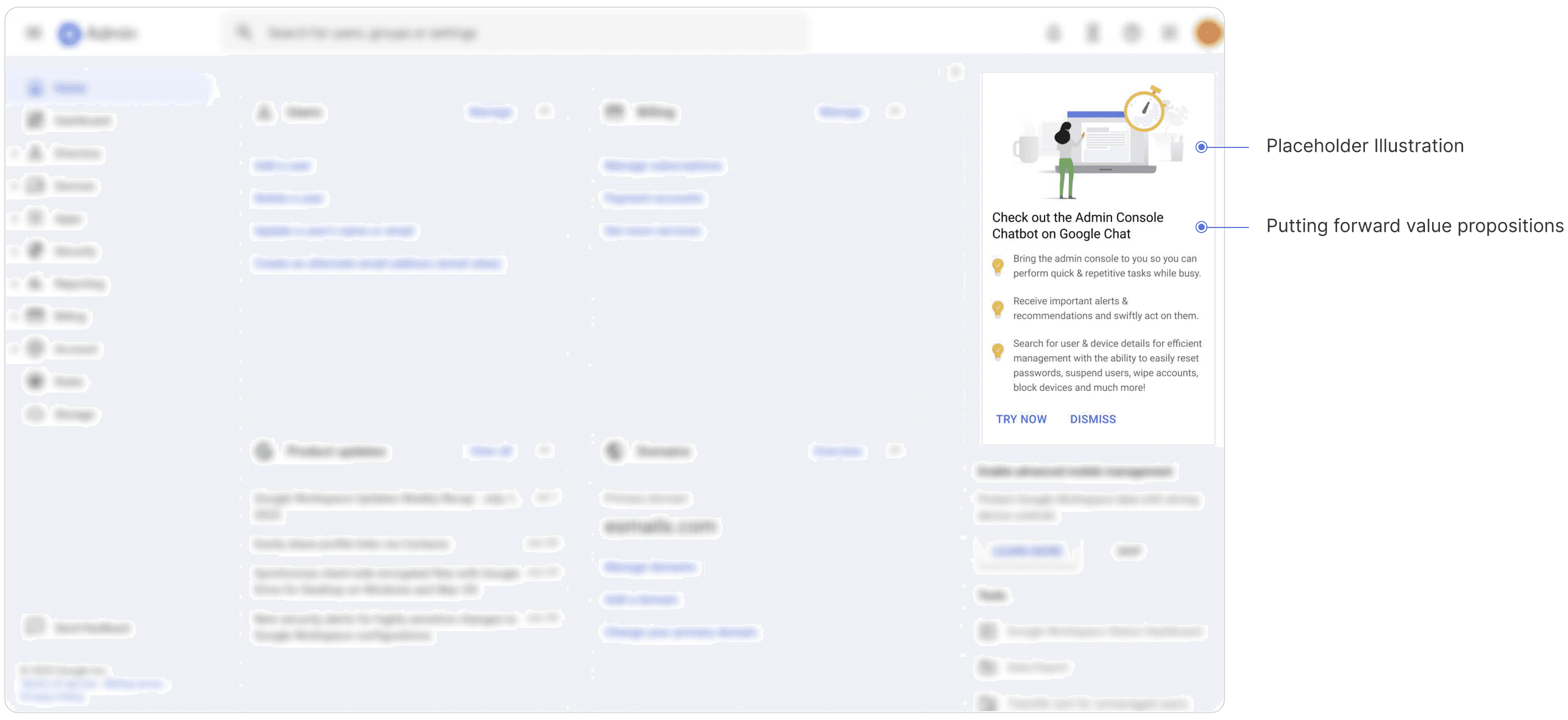
Introducing the admin console chatbot to the users
The screen depicts the Admin Console chatbot home page, I've leveraged the dynamic notification section for this purpose.
Introducing the admin console chatbot to the users
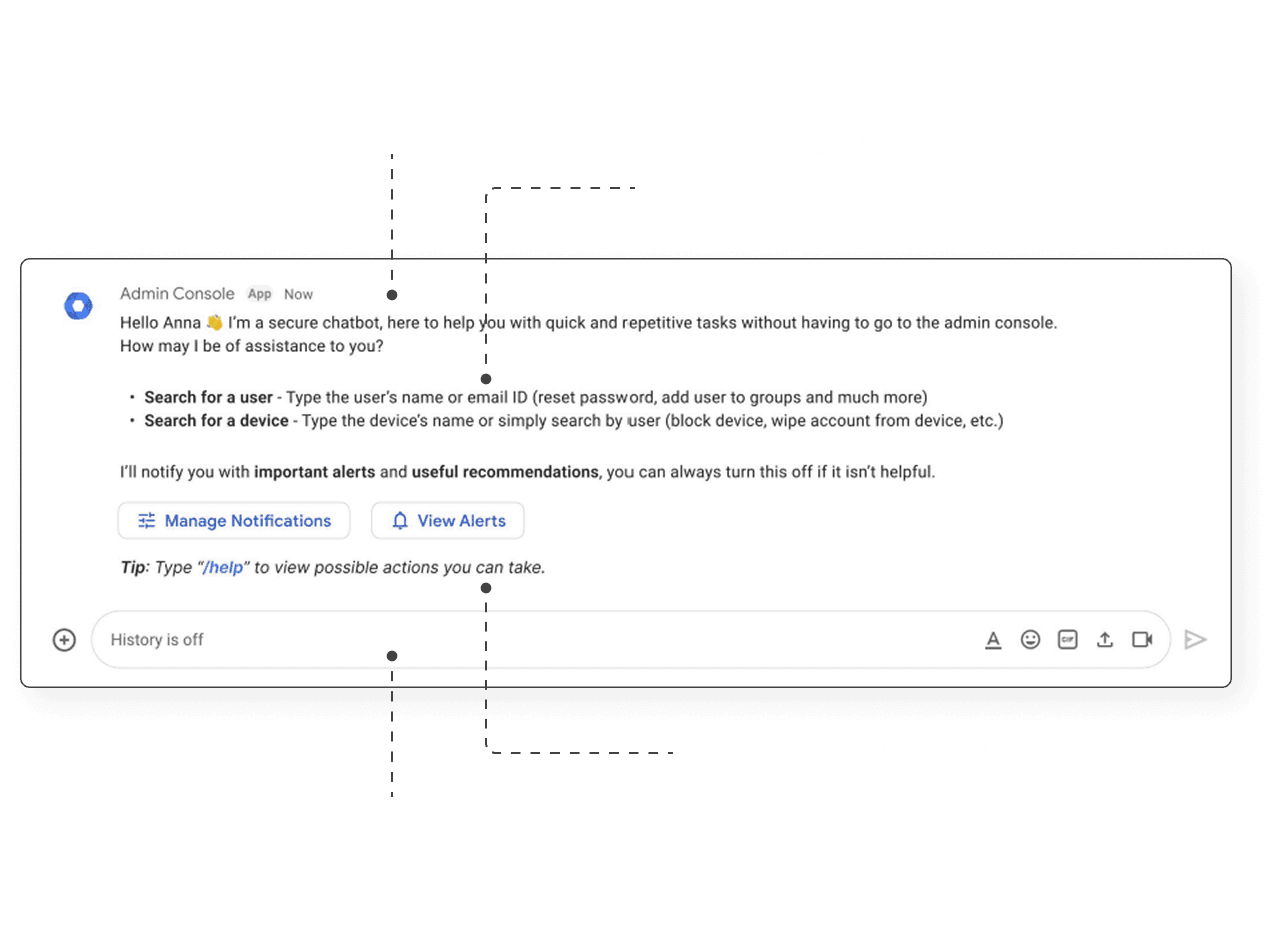
Notification Management
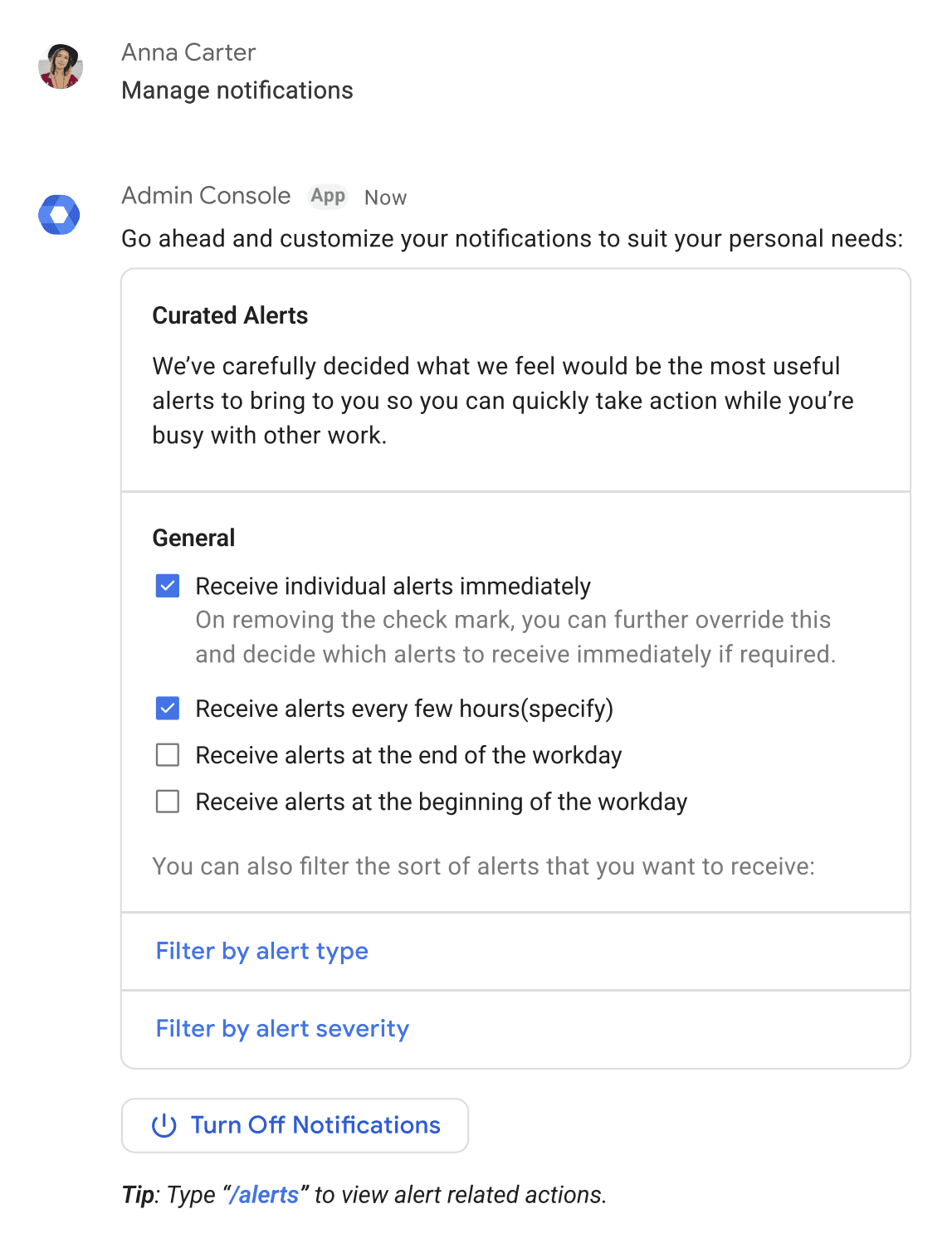
Manage Notifications
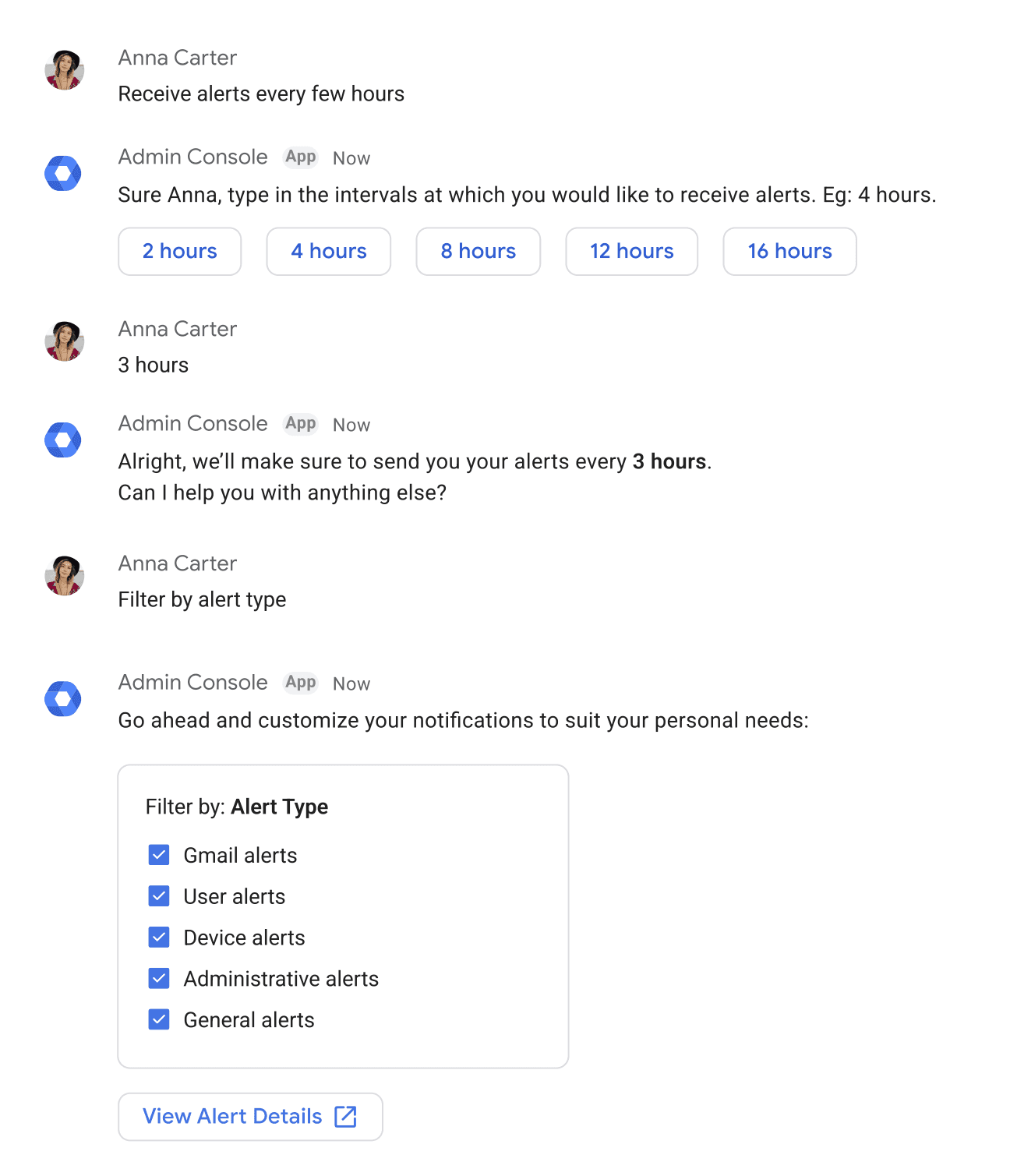
Notification Frequency
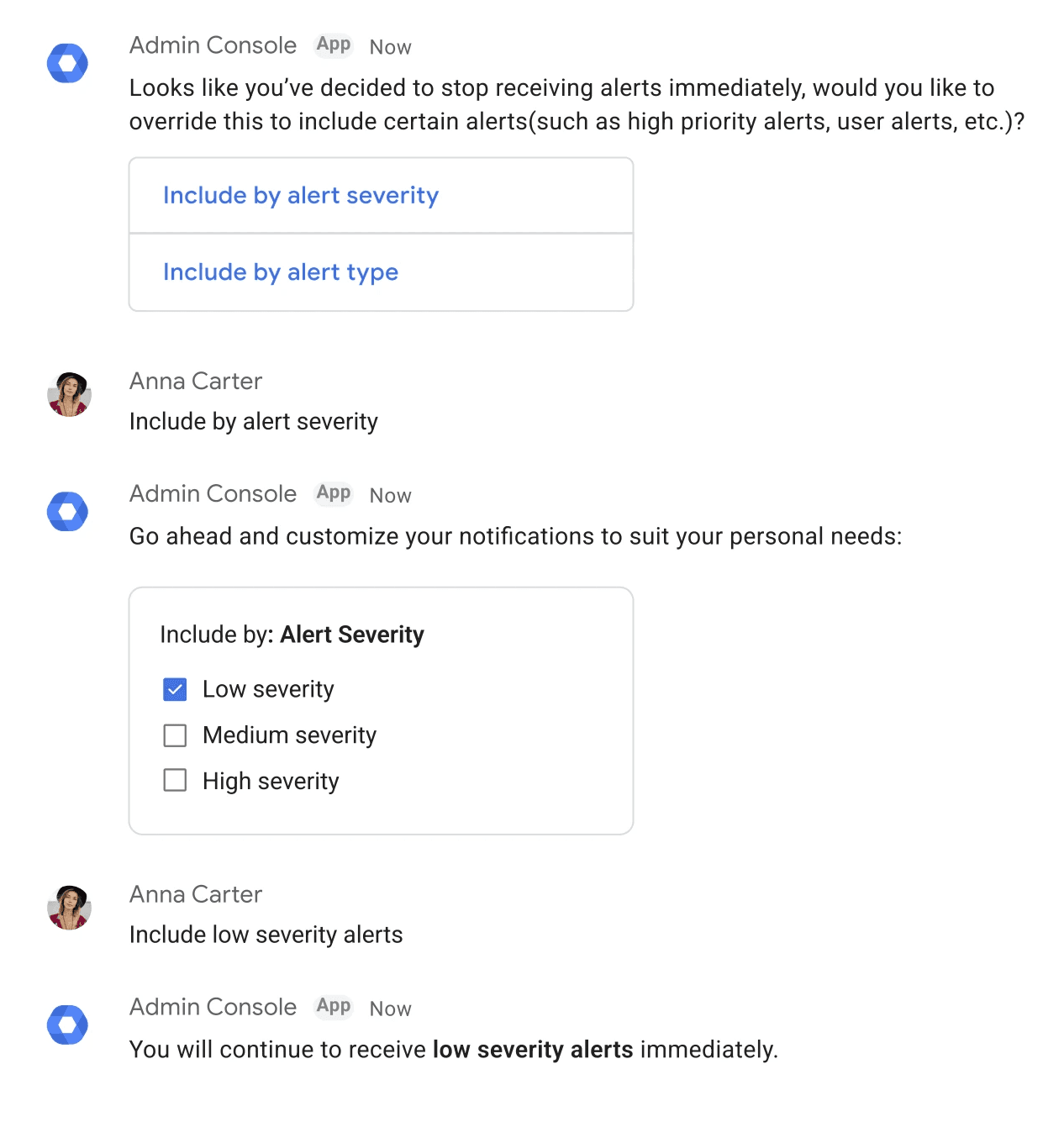
Override Notification Management
Alert Handling
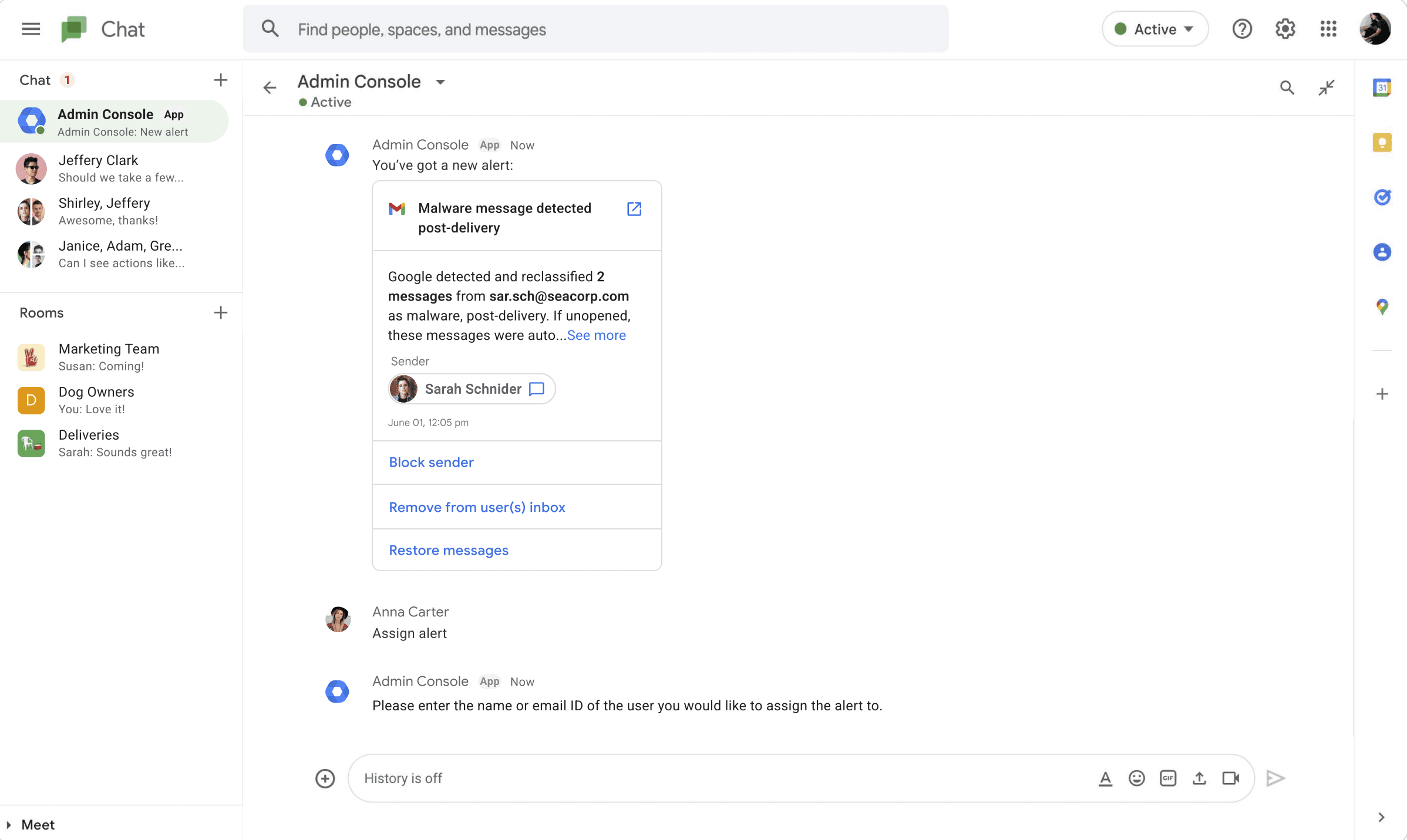
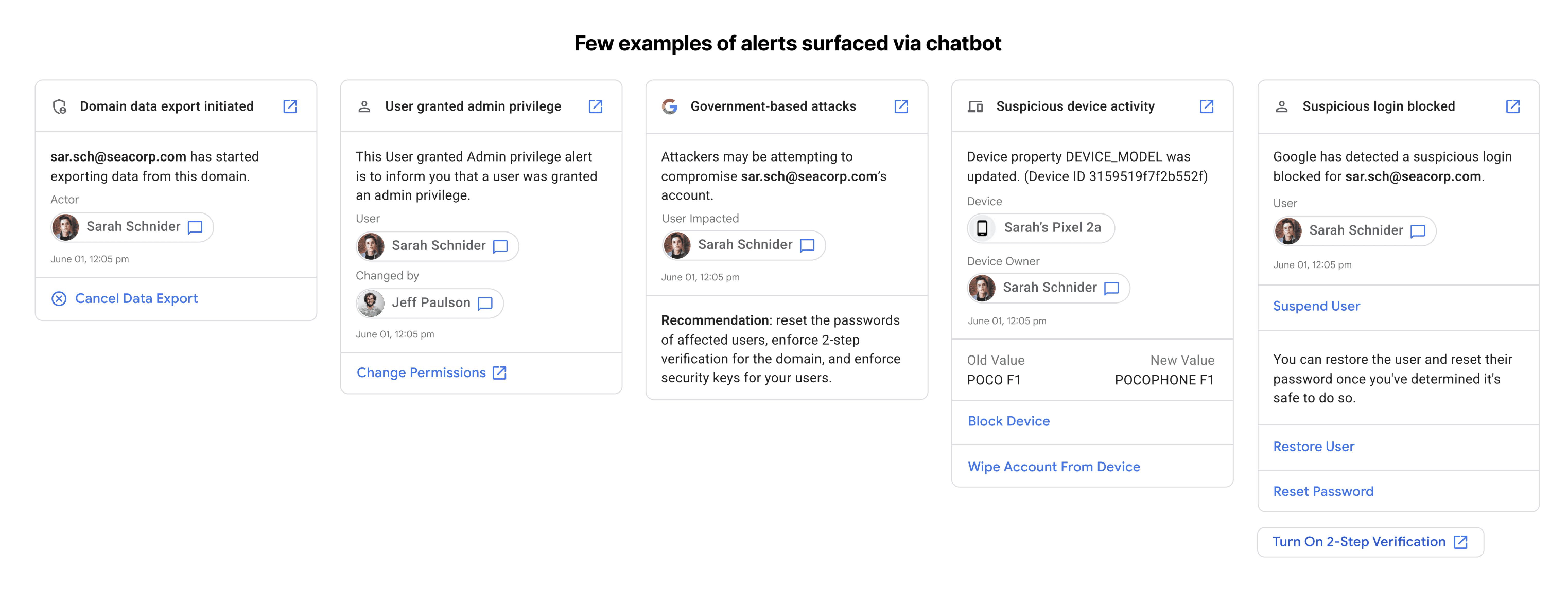
Alert Handling
Showing upto 10 alerts for optimal information to scrolling ratio
Ability to redirect to alert center in Admin Console
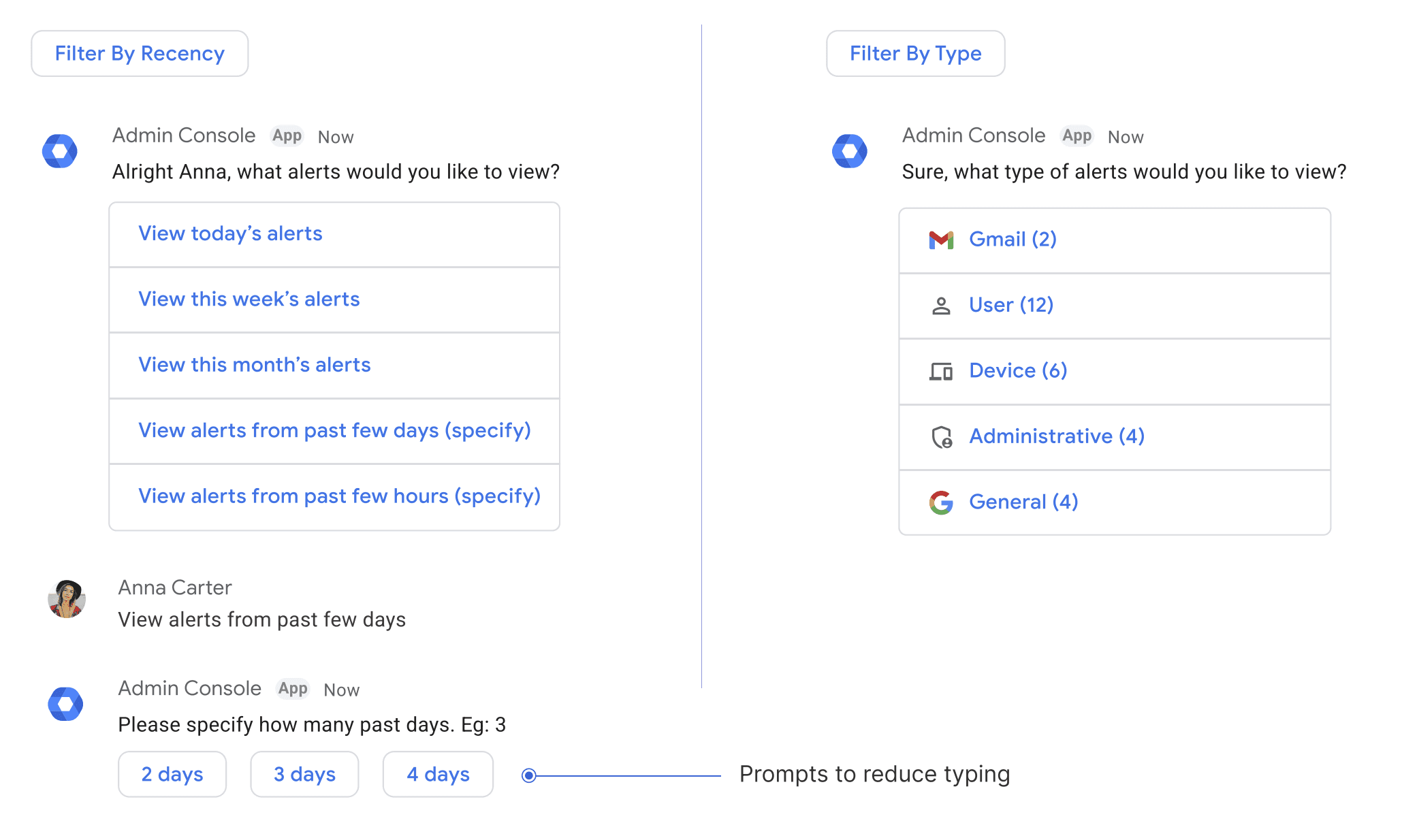
Filteration feature for deeper searches
Specifically useful for LCS Admins with large number of daily alerts
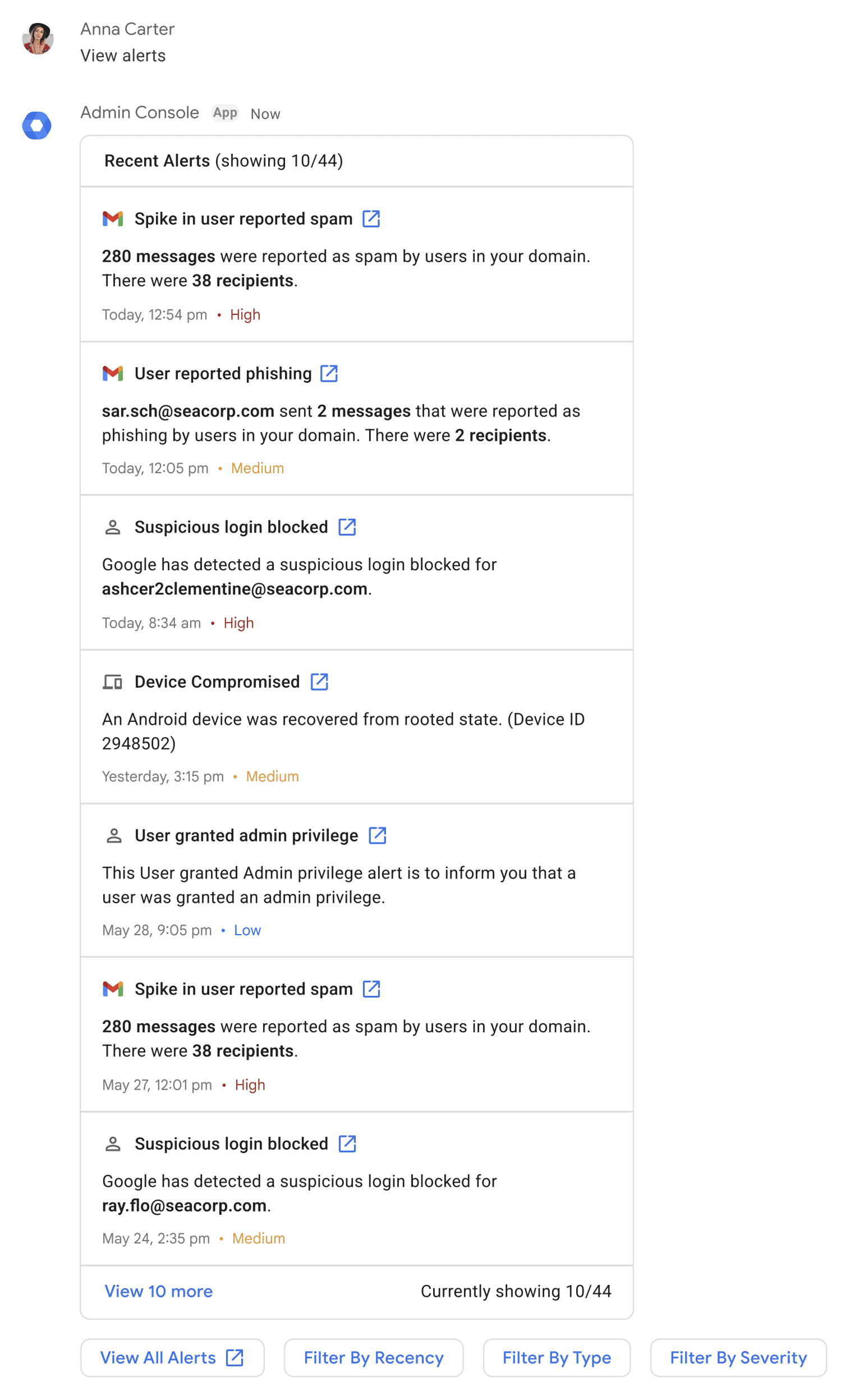
General Route
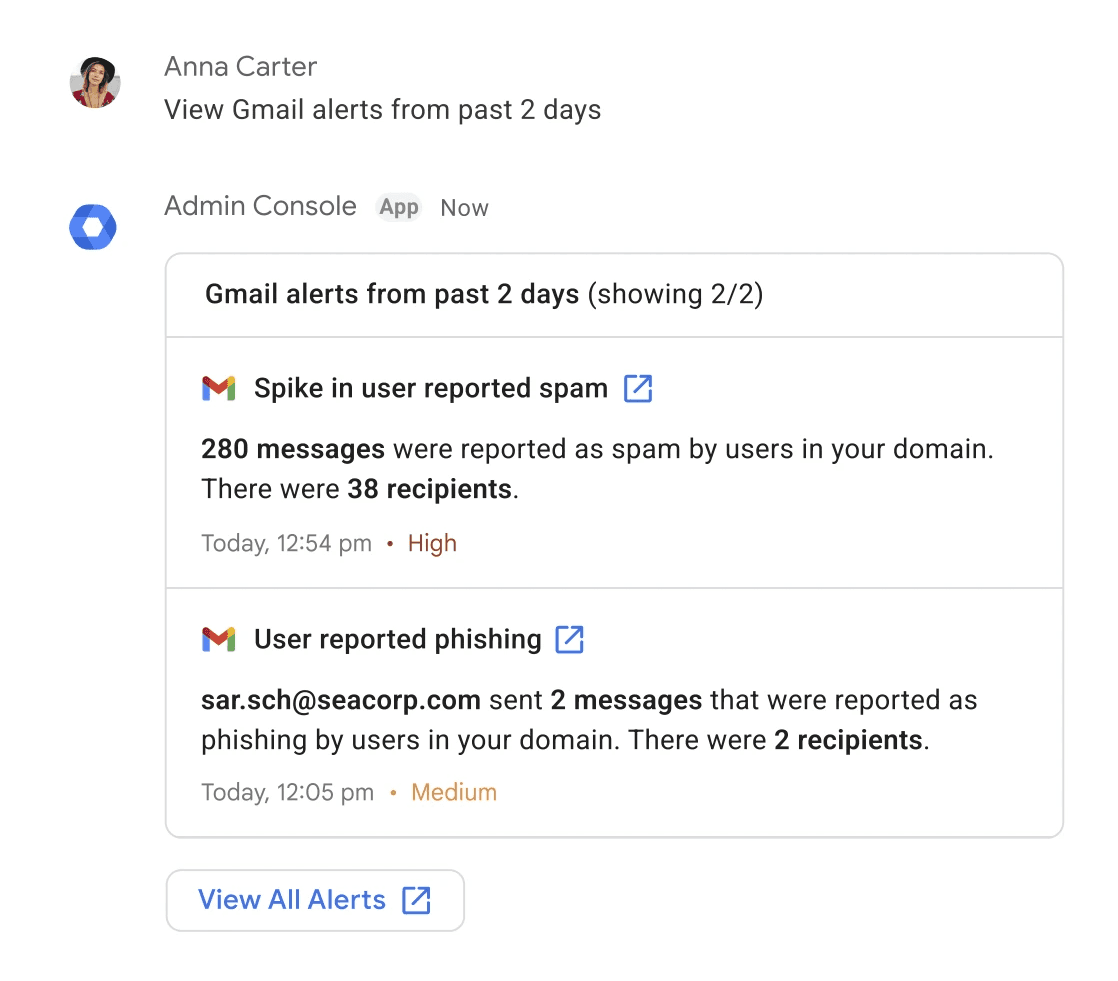
Alternative Route
Alert - Filtering
Taking action from an Alert - Remove messages from user(s) inbox
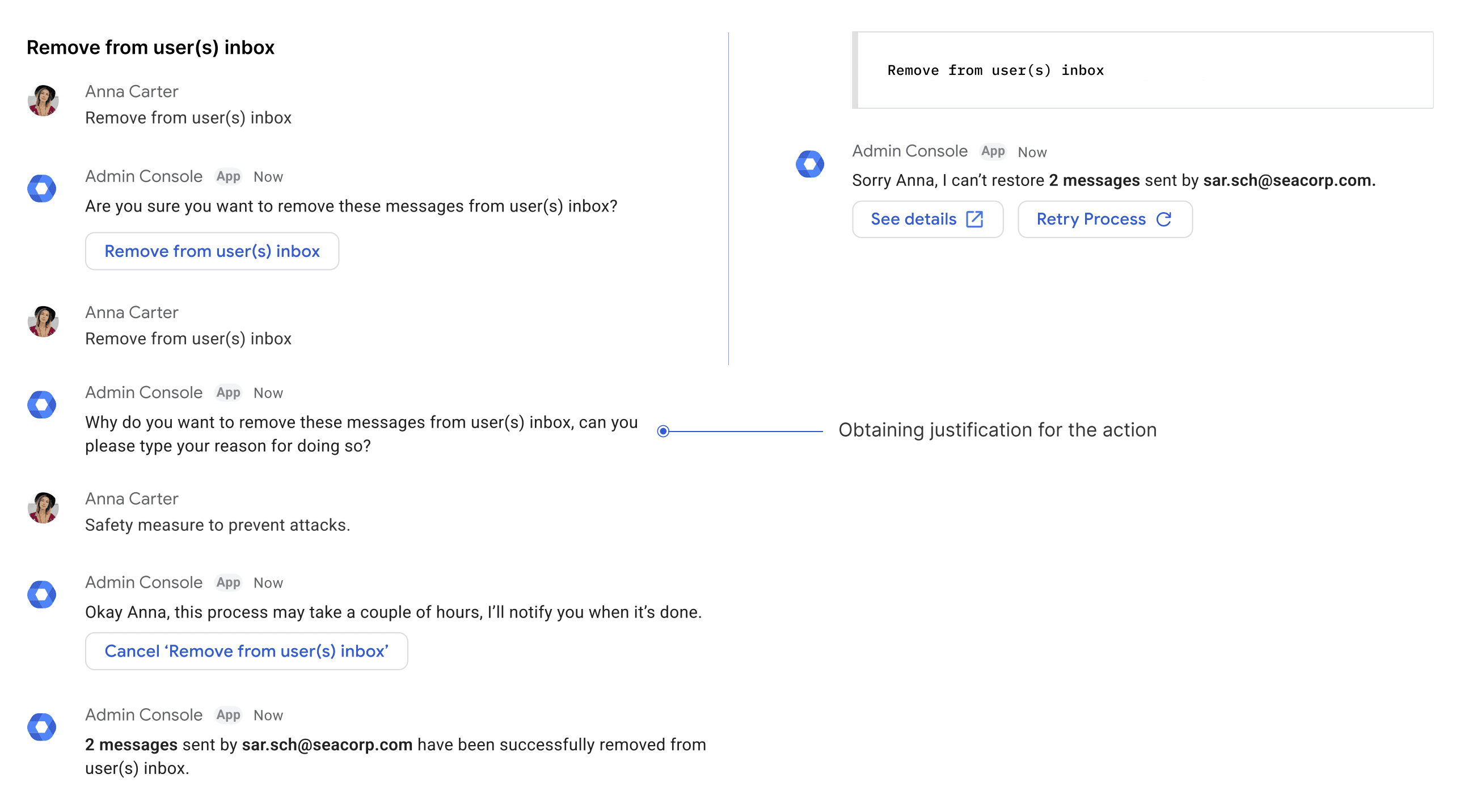
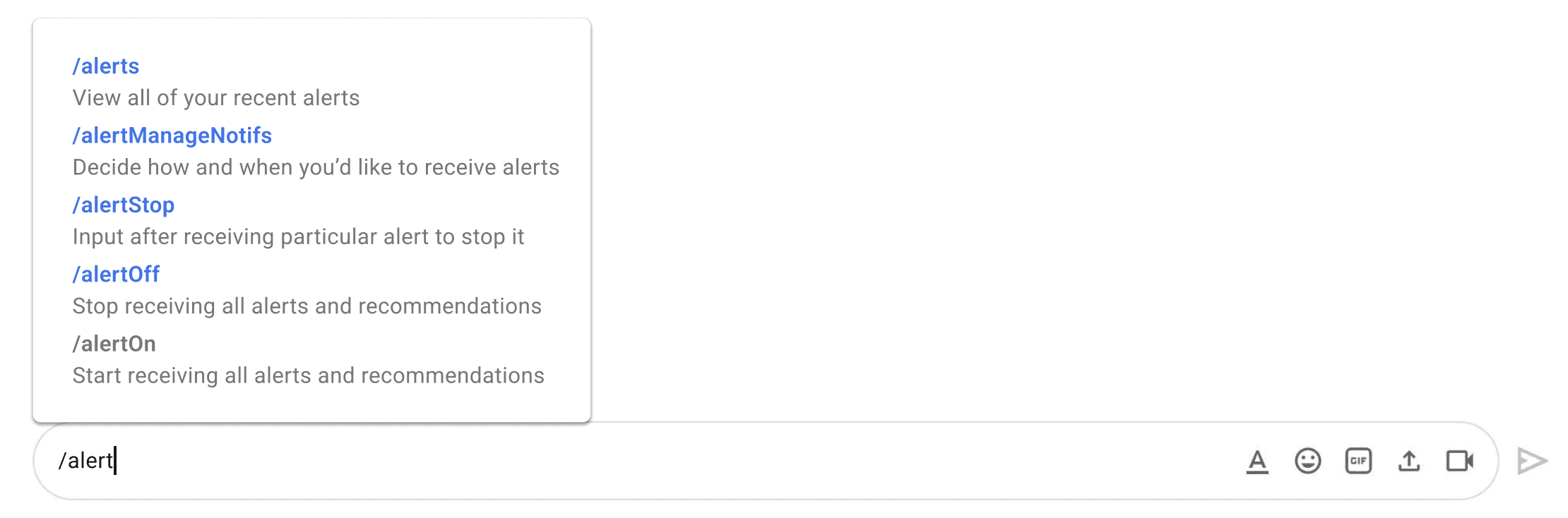
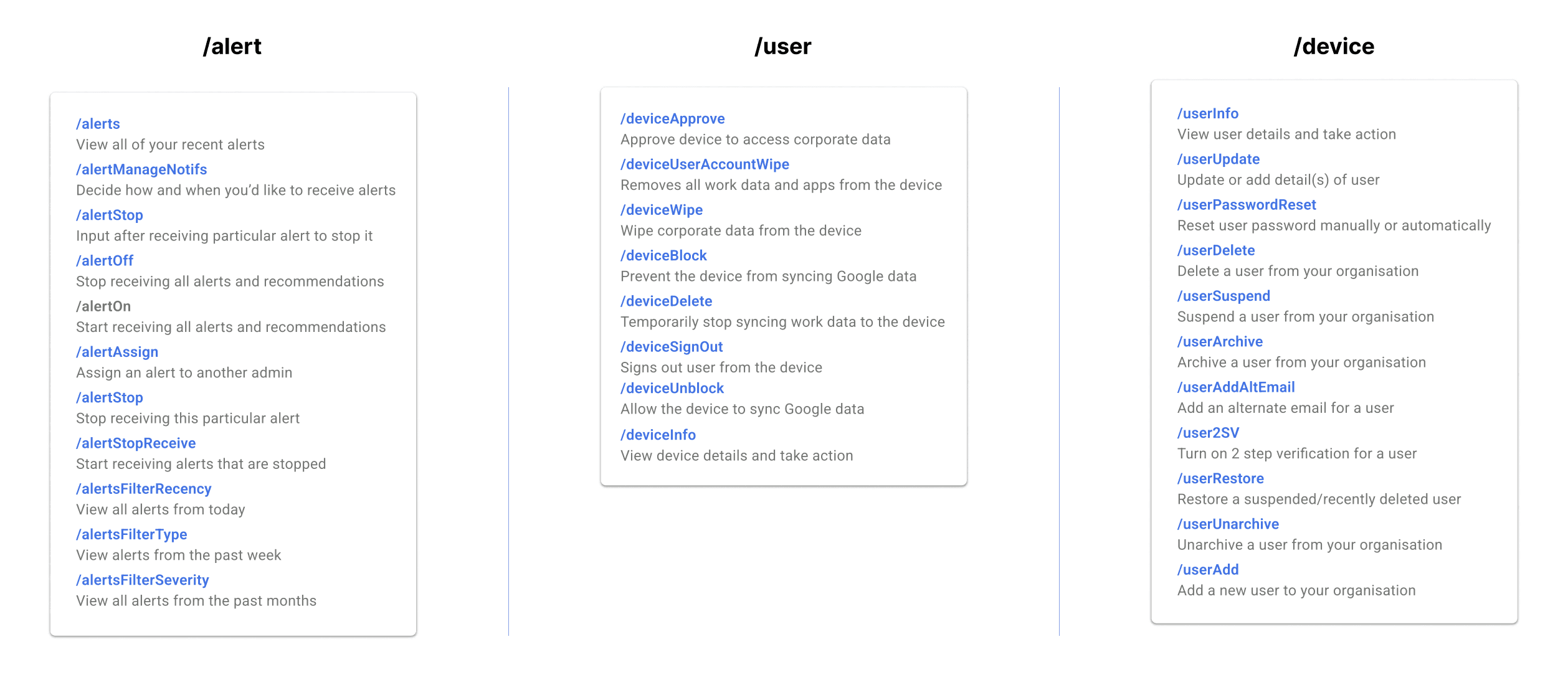
/alert - Commands Working
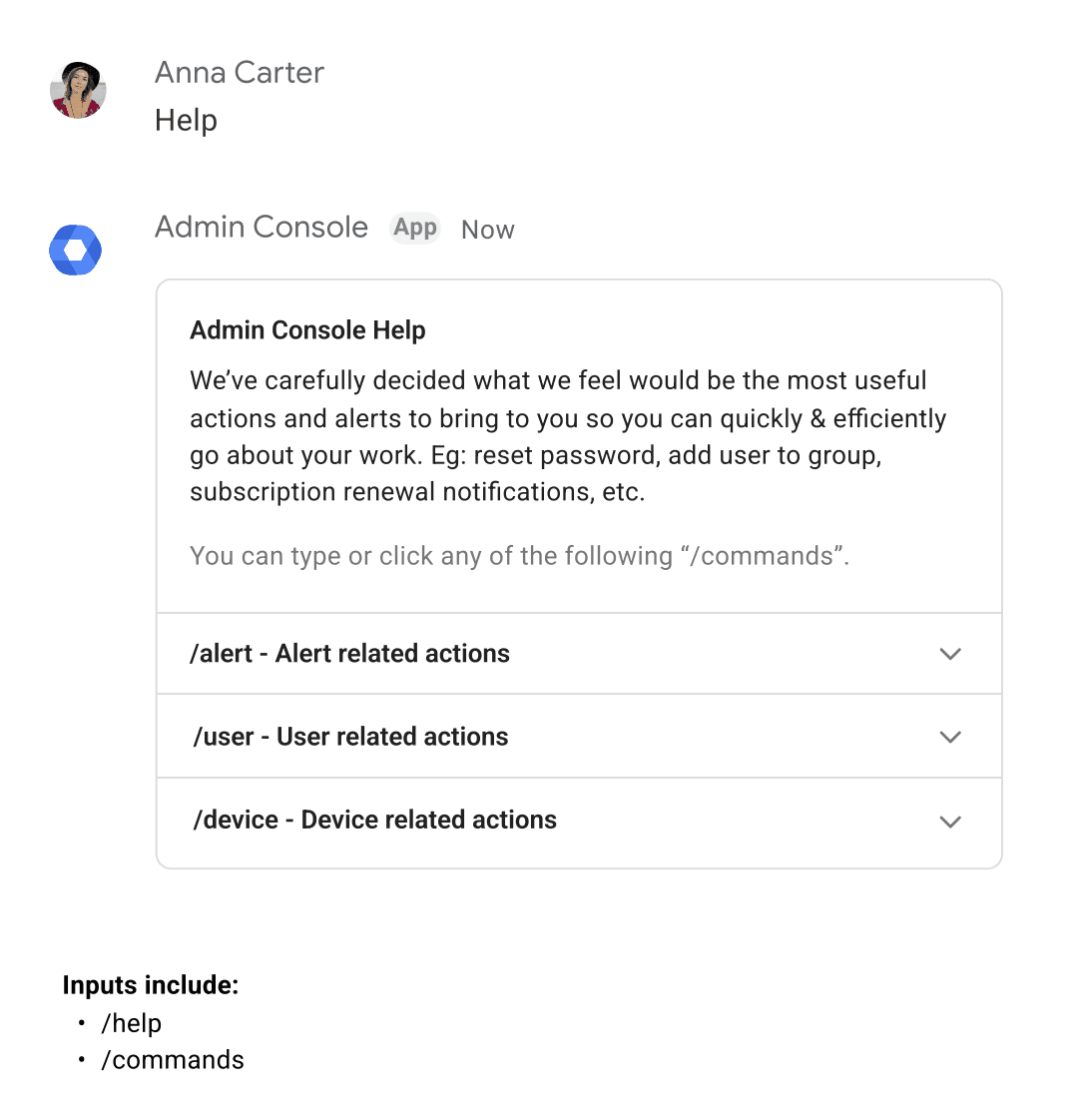
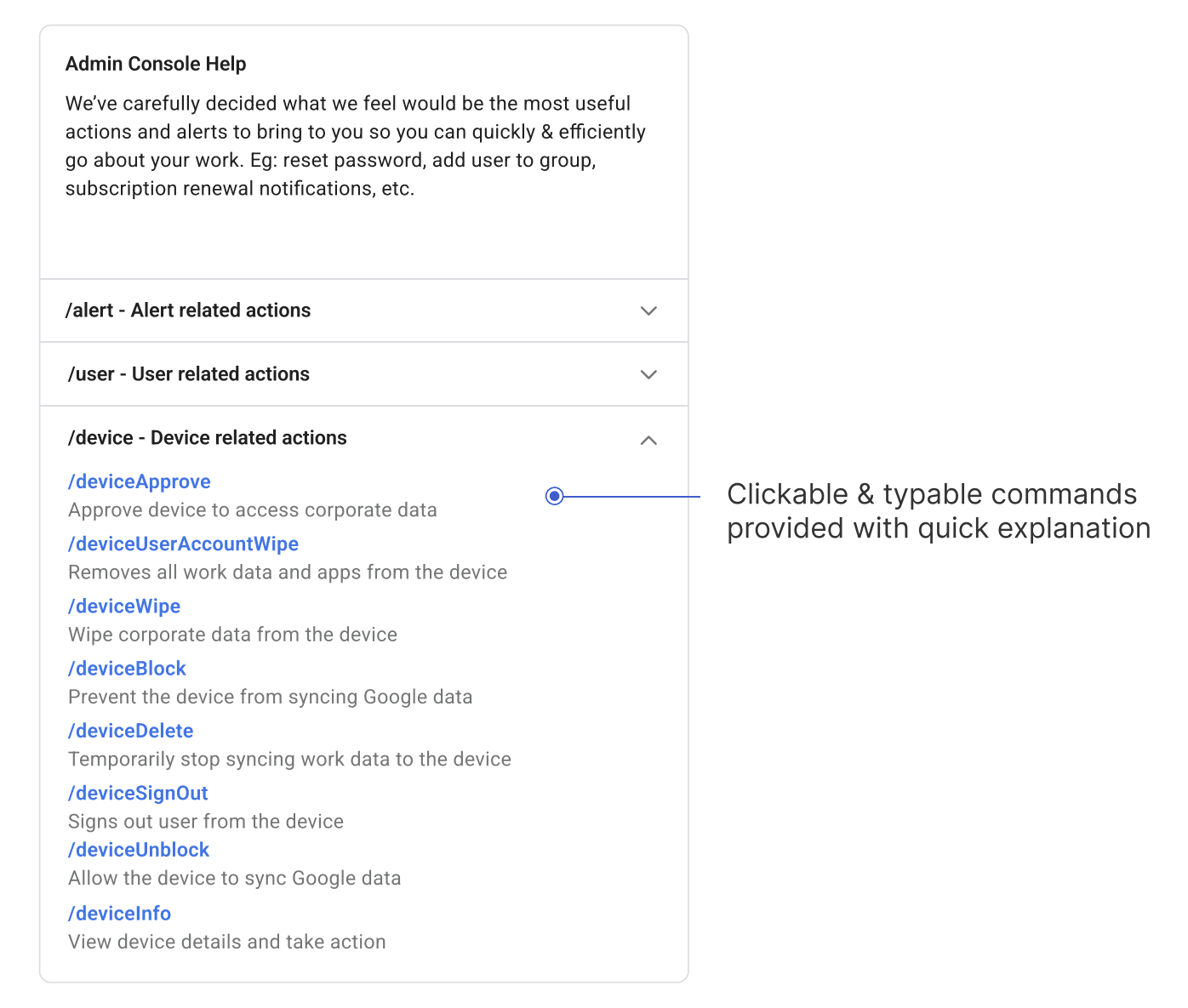
Help Section
Add New User
Group & Device Management
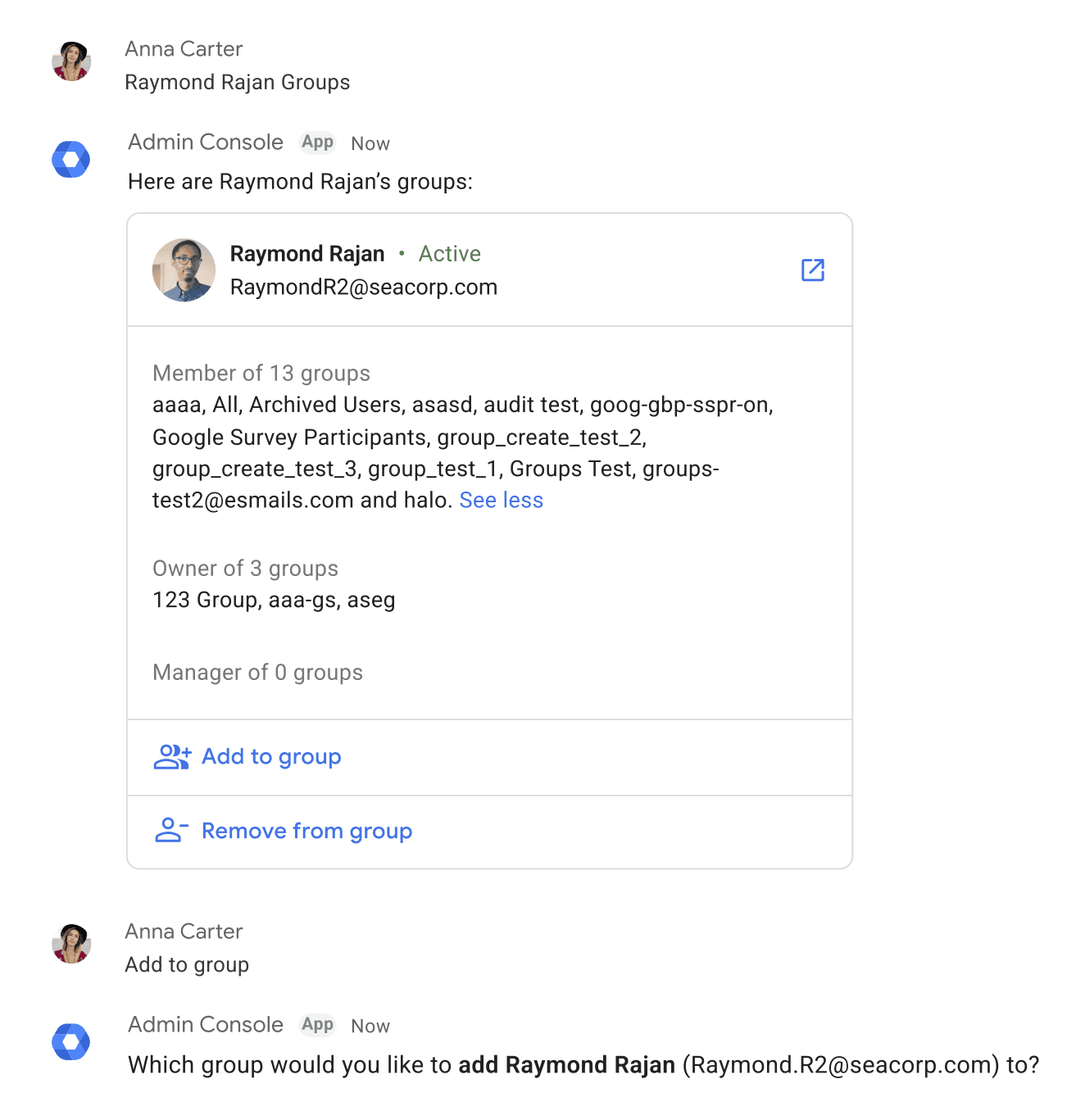
Add User to Group
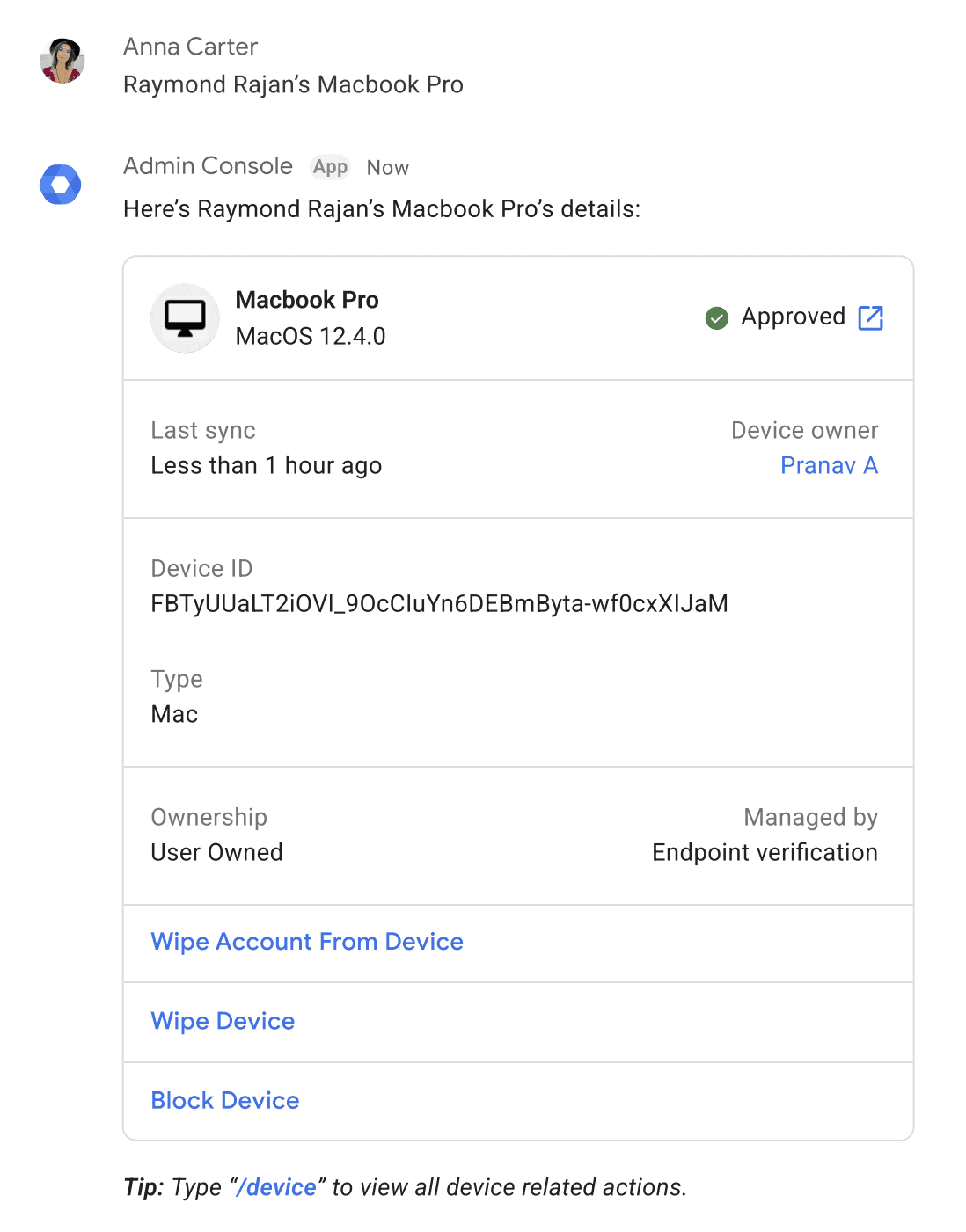
Pull Up Device Information
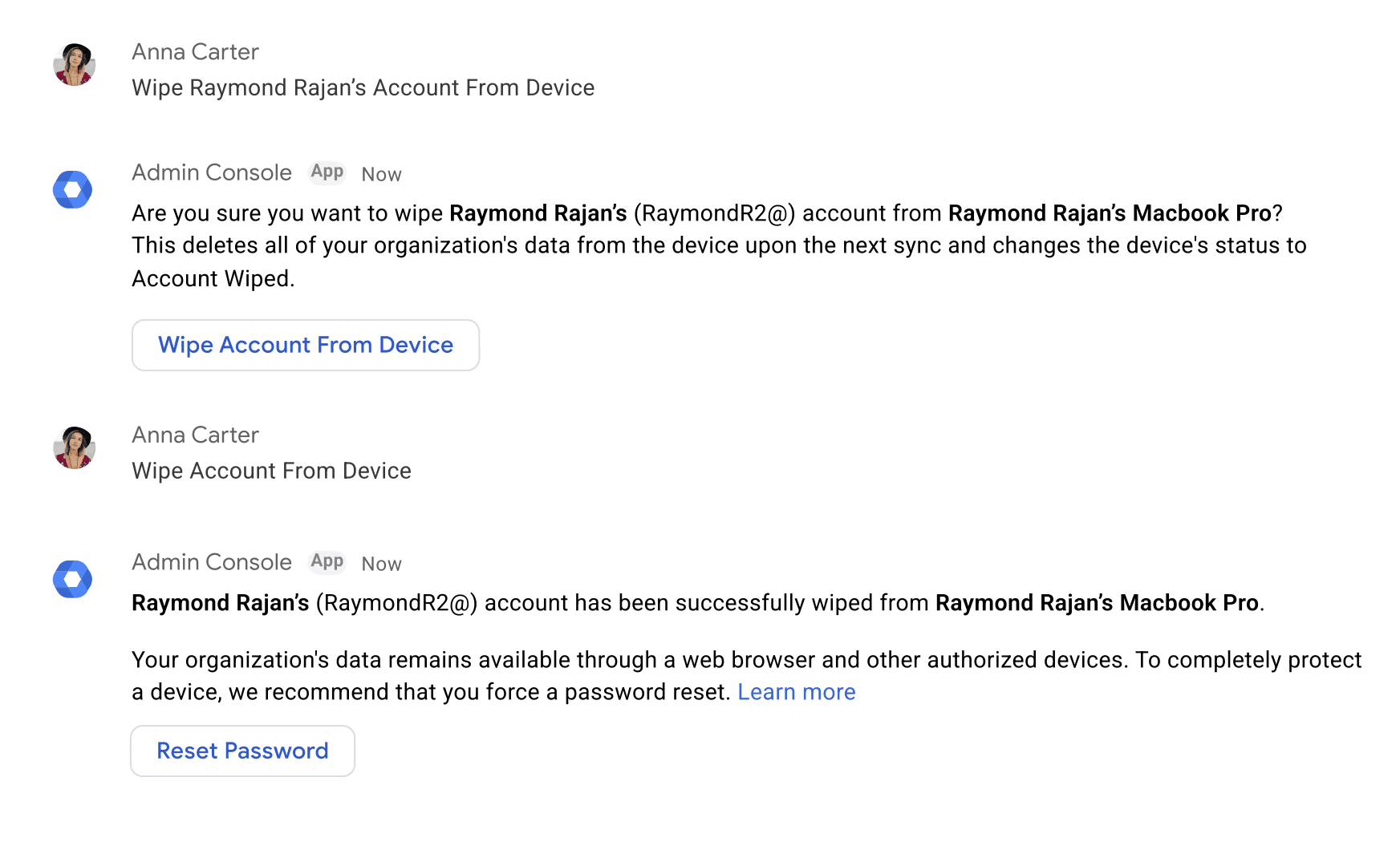
Wipe Device
Recommendations - Example
Billing Notifications
Auxilliary Functionality
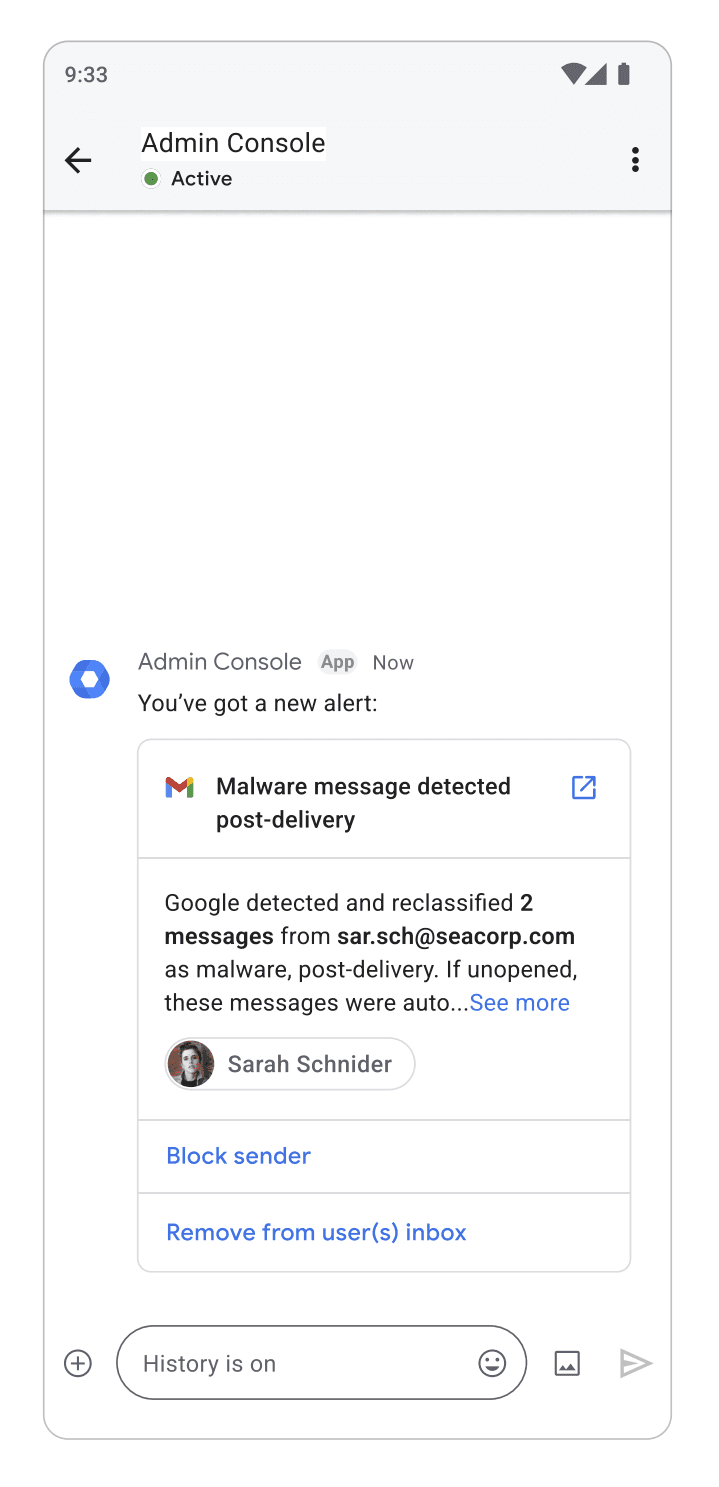
Admin Console Chatbot on Mobile
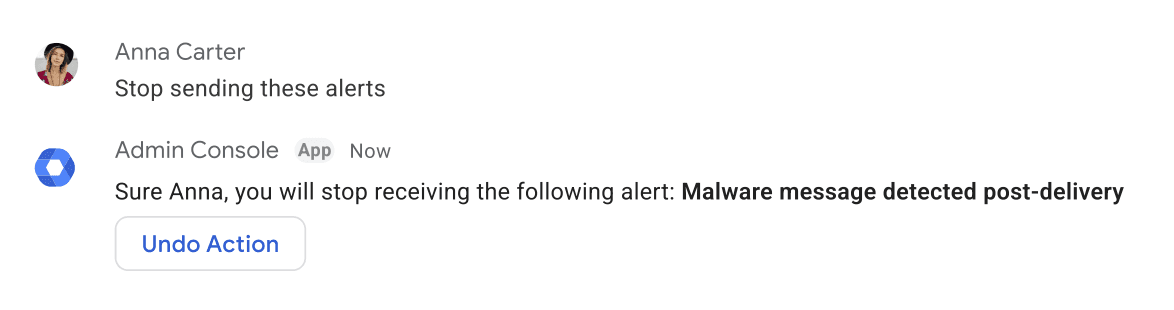
Stop sending particular alerts
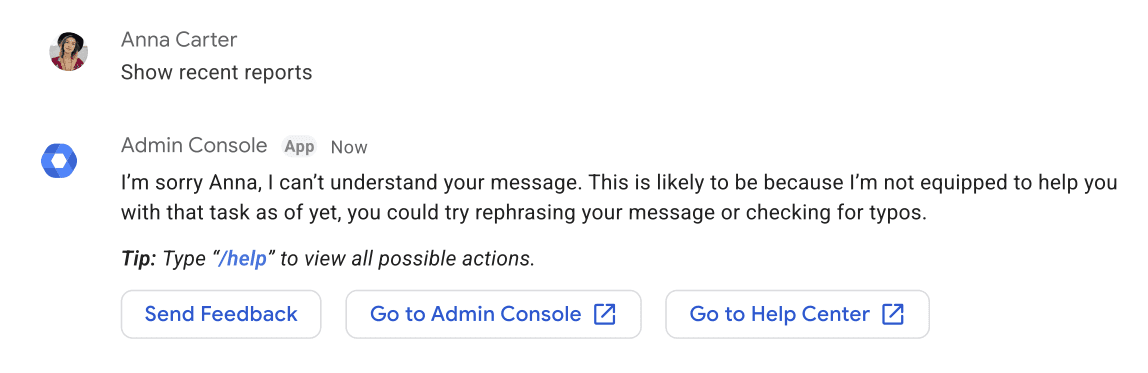
System can't understand user message
Project Outcomes
The presented use cases were received positively by the 3 admin segments and internal stakeholders within Google. I presented a Proof of Concept that convinced management to invest in the chatbot for full-scale implementation.
Have a look at my other projects
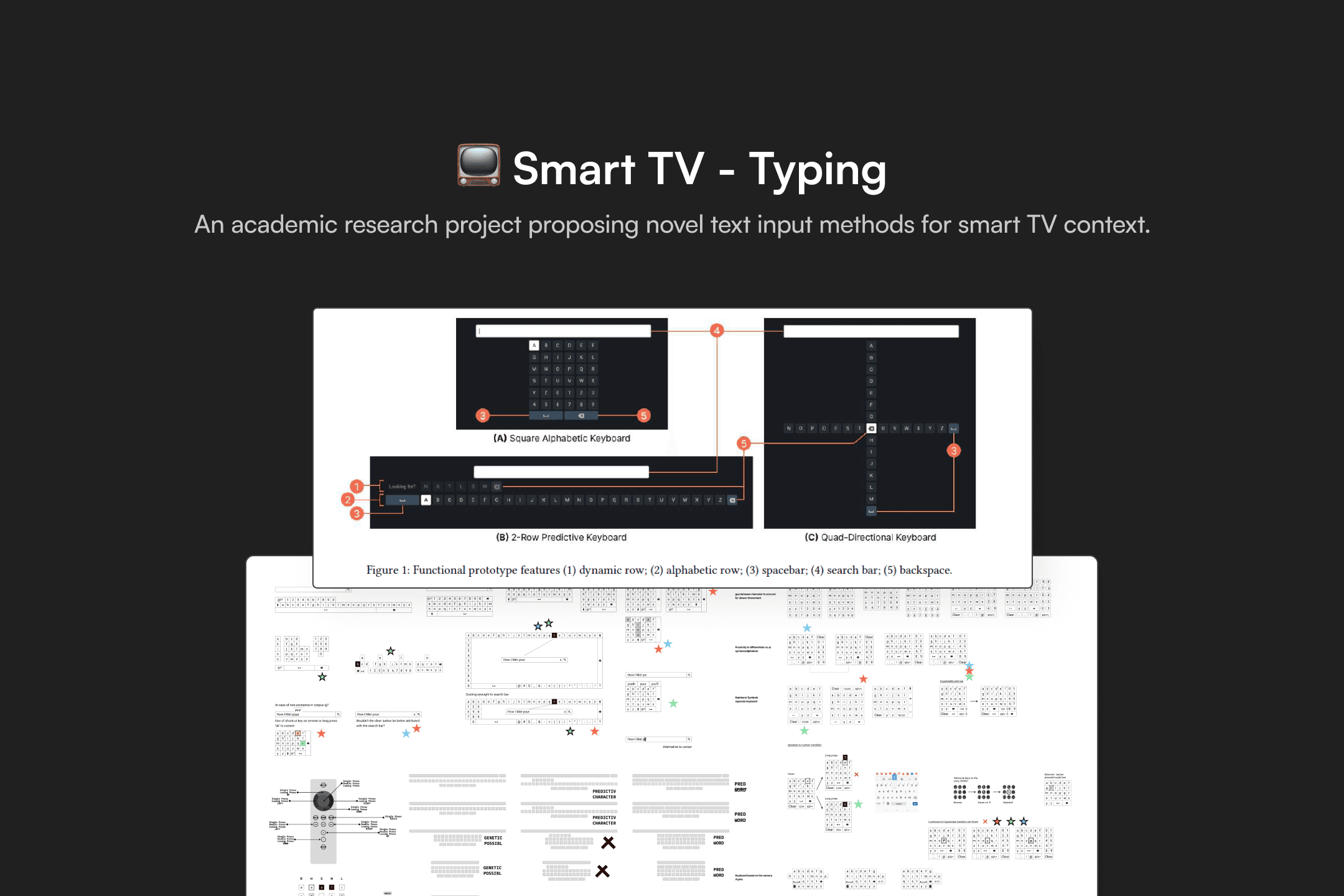
Smart TV - Typing
Academic Research Project
HCI Researcher
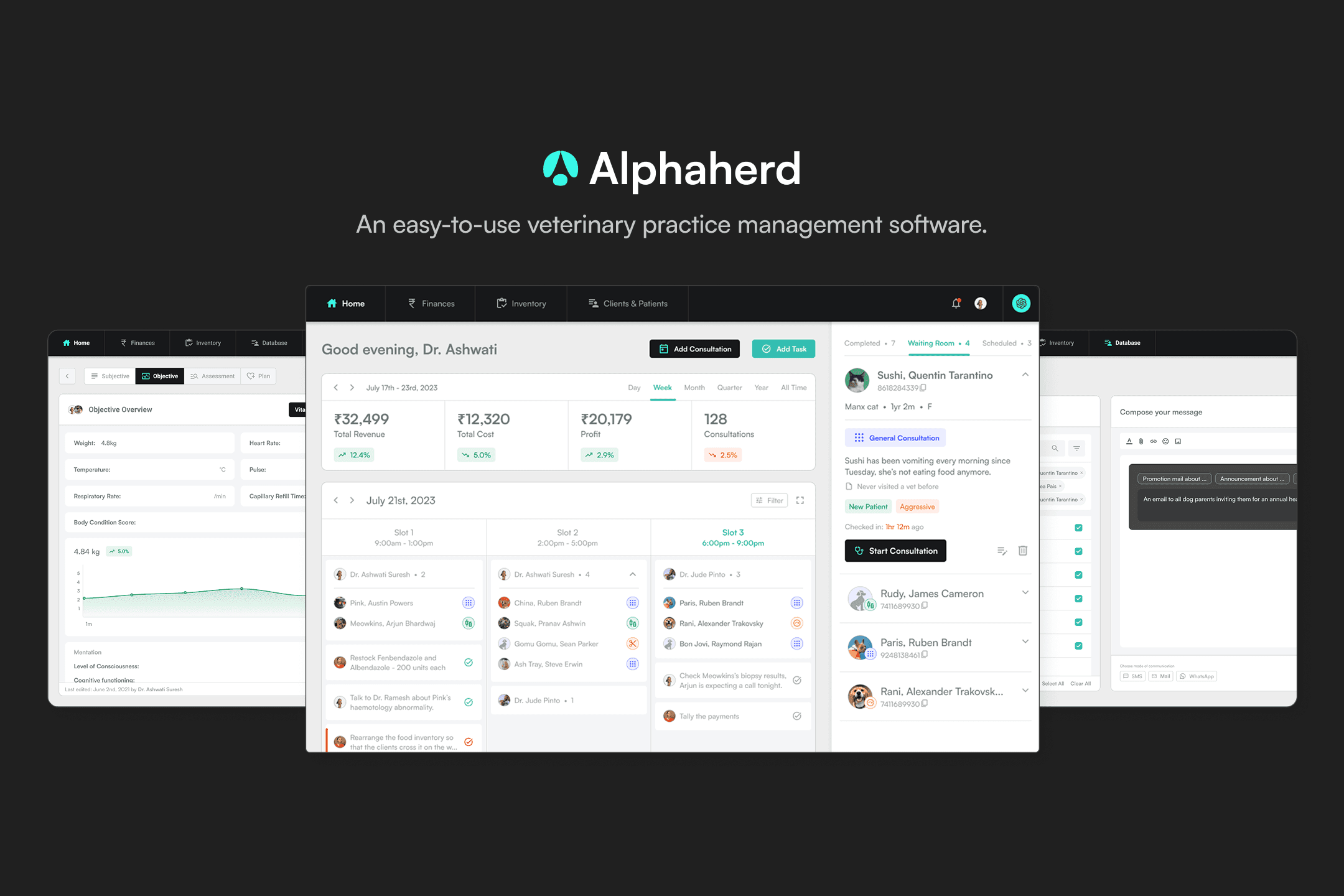
Alphaherd
Entrepreneurial Project
Co-founder
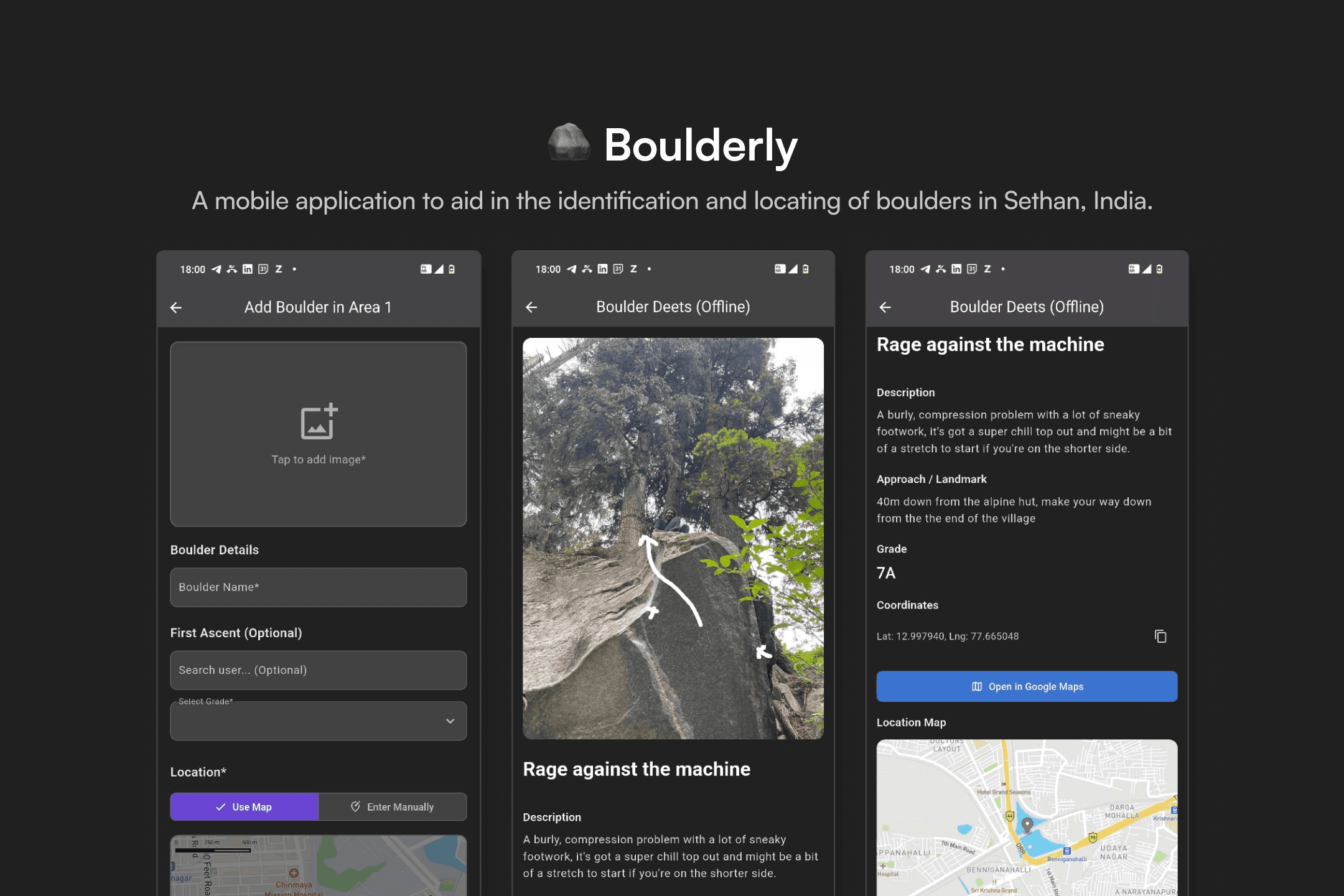
Boulderly
Design for Society
Product Designer & Front-End Developer
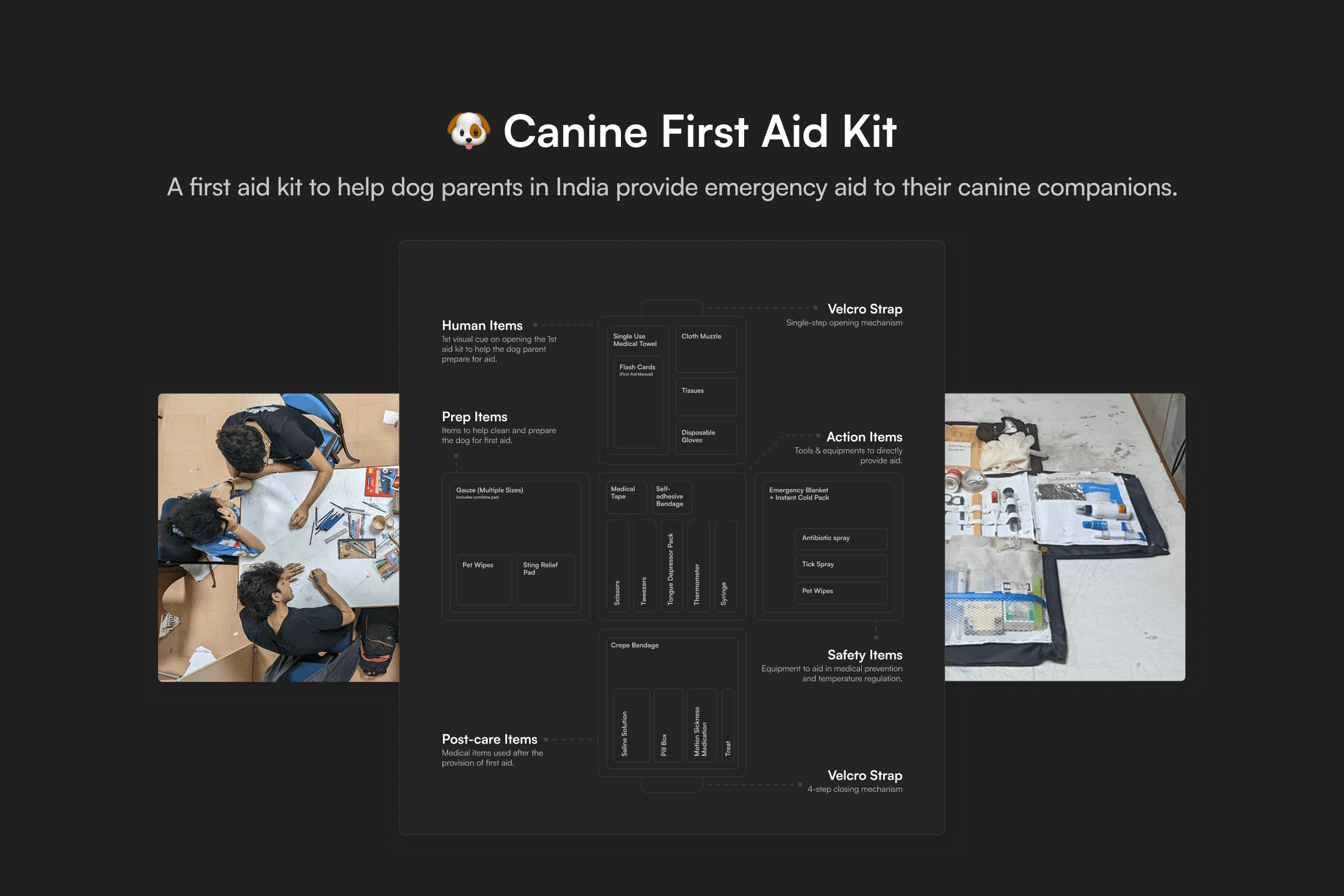
Canine First Aid Kit
Tangible Design
Product Designer

Hi, I'm Pranav Ashwin Ramesh
I’m a curious, self-motivated and passionate user experience designer and entrepreneur. Here’s some of my best work grounded in my experience navigating academic research, real-world industry challenges, and entrepreneurial ventures.
Interested in working together?
Shoot me an email if you'd like to chat.